

FnScribe
1 like
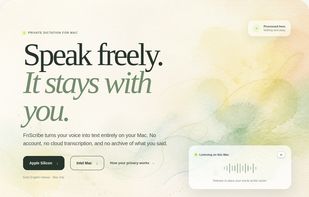
Speak freely. It stays with you. FnScribe turns your voice into text entirely on your Mac. No account, no cloud transcription, and no archive of what you said.
Features
Properties
- Privacy focused
Features
- Works Offline
- No Tracking
- Ad-free
- No registration required
- Apple Silicon support
- Support for Keyboard Shortcuts
- Sits in the menu bar
- Speech to text
- Dictation
- Speech Recognition
- Voice dictation
- Support for Hotkeys
- Voice to Text
Tags
FnScribe News & Activities
Highlights All activities
Recent activities
- brnntn liked FnScribe
- POX added FnScribe as alternative to Handy STT, Vibe Transcribe, OpenWhispr and Voxtral
- POX added FnScribe
FnScribe information
No comments or reviews, maybe you want to be first?
What is FnScribe?
Speak freely. It stays with you. FnScribe turns your voice into text entirely on your Mac. No account, no cloud transcription, and no archive of what you said.
Hold a shortcut, speak, and release—or use hands-free mode for longer thoughts. FnScribe transcribes your voice locally and inserts the result into the app you are using. It lives in the menu bar and stays out of the way until you need it.
- Speech recognition stays on your hardware: A bundled Whisper model processes speech directly on your Mac. Your recording is not uploaded for transcription.
- There is no transcript archive: Audio and recovery text live in memory, not a notes database. Recovery text disappears when FnScribe quits.
- No identity. No analytics: There is no sign-in, advertising SDK, cloud speech service, or usage tracker quietly watching in the background.
- Your clipboard comes back: For broad compatibility, FnScribe briefly uses a concealed clipboard entry and restores your prior contents when safe.