FlyScreen Alternatives

FlyScreen is described as 'Powerful screenshot manager for iOS. Search your screenshots, copy text and links, organize by tags, and more' and is a screenshot capture tool in the photos & graphics category. There are more than 100 alternatives to FlyScreen for a variety of platforms, including Windows, Mac, Linux, Web-based and Google Chrome apps. The best FlyScreen alternative is ShareX, which is both free and Open Source. Other great apps like FlyScreen are Flameshot, Greenshot, Ksnip and FastStone Capture.

Copy a direct link to this comment to your clipboard
FlyScreen alternatives page was last updated

Alternatives list

  1. Free Screen Video Recorder is a compact, yet full-featured screen video recorder and screenshot capture tool that allows you to easily record screen activities and capture anything on the screen including windows, objects, menus, full screen and rectangular regions.

    154 Free Screen Video Recorder alternatives

    Cost / License

    • Free
    • Proprietary

    Platforms

    • Windows
     
  2. SunnyCapturer is a simple and beautiful cross-platform screenshot software that supports OCR for extracting text from images, image translation, custom stickers, and pinning images to the screen. Supports Windows, MacOS, Linux operating systems.

    Cost / License

    • Free
    • Proprietary

    Application type

    Platforms

    • Mac
    • Windows
    • Linux
     
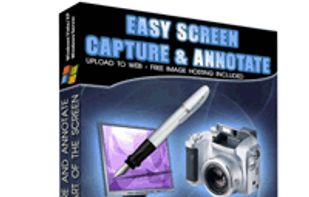
  3. Easy Screen Capture and Annotation lets you capture and annotate any part of the screen. The main goal of the product is to speed up the capture and editing process saving you valuable time by automating repetitive tasks.

    Cost / License

    • Freemium
    • Proprietary

    Platforms

    • Windows
     
  4. Ginj icon
     6 likes

    An open source multi-platform screen capture and recording tool for simple "capture / annotate / share" workflow. Ginj was inspired by Jing (now discontinued), but although there are similarities in the way both tools behave, Ginj is not Jing.

    Cost / License

    Alerts

    • Discontinued

    Platforms

    • Mac
    • Windows
    • Linux
    • Java Mobile
     
  5. ScreenCloud icon
     21 likes

    ScreenCloud is an easy to use screenshot sharing application. Take a screenshot using one of the 3 hotkeys or simply click the ScreenCloud tray icon. You can choose where you want to save your screenshot.

    58 ScreenCloud alternatives

    Cost / License

    Application type

    Alerts

    • Discontinued

    Platforms

    • Mac
    • Windows
    • Linux
    • Online
     
  6. WebSnapperPro icon
     11 likes

    WebSnapperPro (formerly known as Red Snapper) lets you capture web pages - exactly as they appear in your browser. You can send them to a file, as images or vector-based, multi-page PDFs. It captures the whole web page - eliminating the need to cut, paste and crop multiple...

    34 WebSnapperPro alternatives

    Cost / License

    • Paid
    • Proprietary

    Application type

    Platforms

    • Mac
     
  7. mac2imgur icon
     3 likes

    mac2imgur - A simple Mac app designed to make uploading images and screenshots to Imgur quick and effortless

    Cost / License

    • Free
    • Open Source

    Application type

    Alerts

    • Discontinued

    Platforms

    • Mac
     
  8. TinyTake icon
     7 likes

    TinyTake is a free screen capture software for Microsoft Windows. With TinyTake, you can capture images and videos of your computer screen, add comments and share them with others in minutes. TinyTake is built by MangoApps and is available for free.

    Cost / License

    • Freemium
    • Proprietary

    Platforms

    • Windows
     
  9. Captures the contents of the screen with a single keystroke. The captured screen can then be sent to the printer, or saved to disk as a file in 6 different graphics file formats. 15 languages.

    Cost / License

    • Freemium
    • Proprietary

    Application type

    Platforms

    • Windows
     
  10. SnapCrab icon
     5 likes

    SnapCrab is a photo capture software that can capture any part of your screen. Files are saved in PNG format. Capture the whole screen, specified windows or areas, or wherever you like. With SnapCrab you can directly post captured images to Twitter, or save them to Evernote.

    Cost / License

    • Free
    • Proprietary

    Application type

    Platforms

    • Windows
    • Sleipnir
     
  11. Capture the web page, either part of it or full page. Edit your screenshots in a very user-friendly interface.

    Cost / License

    • Free
    • Proprietary

    Application type

    Platforms

    • Online
    • Google Chrome
    • Firefox
     
You are at page 6 of FlyScreen alternatives