





FluidCAD
7 likes
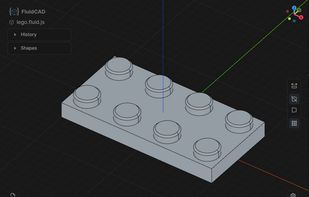
Parametric 3D CAD in browser using JavaScript scripting, fully interactive viewport editing, non-destructive feature tree control, direct geometry referencing, rapid prototyping, STEP import/export, smart defaults, minimal math, and open source availability.

Cost / License
- Free
- Open Source (MIT)
Application typeApplication types
Platforms
- Visual Studio Code
- JavaScript
- Neovim
- Typescript
- Node.JS
- npm


Features
FluidCAD News & Activities
Highlights All activities
Recent News
No news, maybe you know any news worth sharing?
Share a News Tip
Recent activities
 Zentek-Software added FluidCAD as alternative to Zentek Studio
- Lusio liked FluidCAD
 Frank-Povazanj added FluidCAD as alternative to PureCut CNC
- nesterchuk_com liked FluidCAD


FluidCAD information
Developed by
UnknownLicensing
Open Source (MIT) and Free product.Written in
Alternatives
38 alternatives listedBadge
Get an embeddable badge for FluidCADSupported Languages

AlternativeTo Categories
Photos & Graphics, OS & UtilitiesGitHub repository
- 603 Stars
- 31 Forks
- 17 Open Issues
- Updated


Featured in Lists


Linux • Graphics
My personal list of graphics applications made or ported to linux (Incomplete)
No comments or reviews, maybe you want to be first?