
FlowSight icon
FlowSight icon

FlowSight

FlowSight is a desktop productivity application for planning work sessions, protecting focus and reviewing recorded activity with local AI. It combines task tracking, normal and Pomodoro timers, session planning, browser controls, work reports and PDF export.
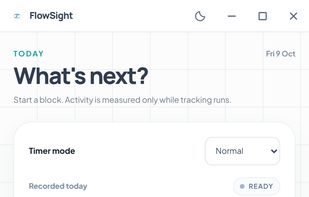
Today view with work timer and task planning. Illustrative demonstration data.

Cost / License

  • Freemium (Pay once)
  • Open Source (AGPL-3.0)

Application type

Platforms

  • Windows
  • Mac
  • Linux
0likes
0articles
Save

Features

Properties

Features

Highlights All activities

FlowSight News & Activities

Recent activities

FlowSight information

AlternativeTo Category

Office & Productivity

GitHub repository

  •  1 Stars
  •  0 Forks
  •  0 Open Issues
  •   Updated  
View on GitHub
FlowSight was added to AlternativeTo by mancasvel on and this page was last updated .

No comments or reviews, maybe you want to be first?

Official Links

What is FlowSight?

FlowSight is a desktop productivity application for planning work sessions, protecting focus and reviewing recorded activity with local AI. It combines task tracking, normal and Pomodoro timers, session planning, browser controls, work reports and PDF export.

The local planner can suggest work blocks using tasks, preferences and recorded task time. Browser protection requires the paired browser extension. Reports can cover today, the last seven days or the last thirty days. They identify whether they used local AI or rules and describe limits in the available activity data. Review decisions can be saved on the device and revisited later.

Local tracking and reports work without a cloud account. Optional cloud services, calendar connections and external AI integrations are separate features with their own requirements and data sharing. Controls cover when tracking runs, excluded applications, saving window titles and retaining local history.

The source is available under AGPL-3.0. Windows 6.1.1 EXE and MSI installers are published in the project's GitHub releases. macOS and Linux releases have separate update schedules. The Solo website describes a planned EUR 25 one-time official distribution offer; its checkout is not open yet, and previously published installers remain available during the transition. Optional cloud plans are separate.

The screenshot shows the application interface with illustrative demonstration data.