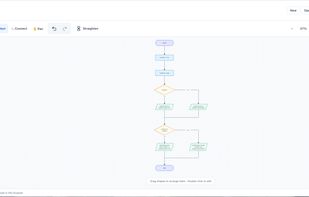
Flowchart Studio is a free, browser-based tool that makes creating flowcharts simple, intuitive and accessible. Whether you are learning to program, teaching Computer Science or planning an algorithm, Flowchart Studio helps you turn your ideas into clear, professional diagrams.
Designed with education in mind, the tool is particularly useful for students studying iGCSE Computer Science, although it can be used by anyone who wants to visualise processes, decisions and algorithms.
Key Features
- Easy drag-and-drop editing - Add, move and connect shapes to build flowcharts quickly.
- Standard flowchart symbols - Use Start/End, Process, Decision, Input/Output and Subroutine symbols.
- iGCSE support - Get started with flowcharts designed around common Computer Science concepts.
- Python integration - Access the option to create flowcharts from Python code.
- Multiple export formats - Download your diagrams as PNG, SVG, PowerPoint (PPTX), JSON or PDF.
- Editable sharing links - Share flowcharts with others using a simple link.
- No account required - Start creating flowcharts immediately without registration.
- Dark mode and full-screen view - Choose a comfortable working environment.
- Local drafts - Your drafts stay in your browser, giving you control over your work.
Ideal for Teaching and Learning
Flowchart Studio helps students develop computational thinking by breaking complex problems into smaller, logical steps. Teachers can use it to demonstrate sequencing, selection and repetition, while students can create diagrams to explain their algorithms before writing code.
The ability to export directly to PowerPoint makes it particularly useful for creating classroom presentations, worksheets and revision resources.
Unlike many commercial diagramming applications, Flowchart Studio is free to use, requires no subscription and works directly in a web browser.




 jamesabela added Flowchart Studio as alternative to flowChart, draw.io, LibreOffice - Draw, Xmind and 2 more
 James Abela


No comments or reviews, maybe you want to be first?