
FloatPic icon
FloatPic icon

FloatPic

A high-performance, borderless floating image viewer with built-in OCR and color analysis tools for macOS.
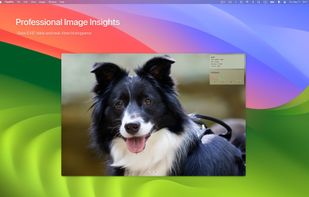
FloatPic screenshot 1

Cost / License

  • Pay once or Subscription
  • Proprietary

Platforms

  • Mac  Universal Binary for Apple Silicon and Intel Macs.
1like
0comments
0articles

Features

Properties

  1.  Lightweight
  2.  Privacy focused

Features

  1.  Hardware Accelerated
  2.  RAW Photo Editors
  3.  Works Offline
  4.  Dark Mode
  5.  Ad-free
  6.  No Tracking
  7.  No registration required
  8.  Live Preview
  9.  Floating windows

FloatPic News & Activities

Highlights All activities

Recent activities

FloatPic information

  • Developed by

    CN flagTapfun Information Technology Co., Ltd.
  • Licensing

    Proprietary and Commercial product.
  • Pricing

    One time purchase that costs up to $30, and / or subscription ranging between $2 and $15 per month.
  • Alternatives

    7 alternatives listed
  • Supported Languages

    • English
    • French
    • Italian
    • Chinese
    • Japanese
    • Korean
    • Spanish
    • Russian
    • German
FloatPic was added to AlternativeTo by App TapFun on and this page was last updated .
No comments or reviews, maybe you want to be first?

What is FloatPic?

Redefining professional image viewing on macOS.

FloatPic is a high-performance, floating image viewer designed exclusively for macOS. Moving beyond simple viewing, it integrates OCR, professional RAW decoding, and advanced color analysis into a seamless, borderless workflow. It is the ultimate desktop companion for designers, photographers, and developers.

Pro Features: • Borderless Floating Window: Images stay on top of all windows for a clutter-free reference experience. • Pro-Grade Performance: CATiledLayer rendering ensures smooth handling of 100MB+ images and RAW files. • Smart OCR: Extract and copy text from any image instantly using the native Vision framework. • Image Analysis: Pixel-perfect Color Picker, cluster-based Palette extraction, and real-time vImage Histograms. • Image Comparison: Side-by-Side, Overlay, and Slider modes for precise visual auditing. • Deep EXIF Insight: View 24+ metadata fields, including Camera, Exposure, and GPS data. • Universal Formats: Full support for WebP, AVIF, PSD, AI, OpenEXR, and professional RAW files. • Native Experience: Fully optimized for macOS gestures (pinch-to-zoom, fluid rotation, and swipe).

System Requirements: • macOS 14.0 (Sonoma) or later. • Universal Binary for Apple Silicon and Intel Macs.

Official Links
