Fingerpaint Alternatives

Fingerpaint is described as 'Draw using your laptop's touchpad' and is a digital painting tool in the photos & graphics category. There are more than 25 alternatives to Fingerpaint for a variety of platforms, including Android, iPad, iPhone, Windows and Android Tablet apps. The best Fingerpaint alternative is Paint.NET, which is free. Other great apps like Fingerpaint are Procreate, Fossify Paint, FireAlpaca and Pocket Paint.

Copy a direct link to this comment to your clipboard
Fingerpaint alternatives page was last updated

Alternatives list

  1. Copy a direct link to this comment to your clipboard

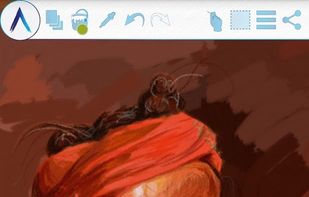
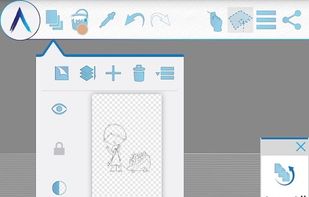
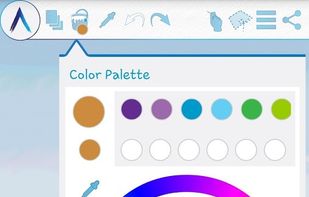
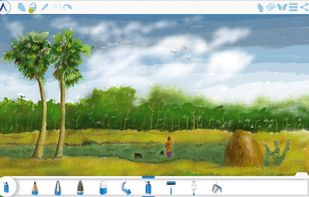
    Convert your tablet, Chromebook, or phone into digital sketchbook with more than 80 paint brushes, smudge, file and eraser tool. This fast and intuitive painting and drawing application will unlock full power of your imagination.

    Cost / License

    • Freemium (Pay once)
    • Proprietary

    Application type

    Platforms

    • Android
    • Chrome OS
    • Android Tablet
    • Kindle Fire
     
  2. InfiniPaint icon
     2 likes
    Copy a direct link to this comment to your clipboard

    InfiniPaint is a collaborative, infinite space, infinite zoom, canvas note-taking/drawing app. Unlike many other infinite canvas apps, although there is a specific zoom-in level limit, there is no zoom-out limit (at least up until the point your computer runs out of memory).

    48 InfiniPaint alternatives

    Cost / License

    • Free
    • Open Source

    Application type

    Platforms

    • Linux
    • Flathub
    • Flatpak
    • Windows
    • Mac
    • Online
     
    • InfiniPaint is the most popular Web-based alternative to Fingerpaint.

    • InfiniPaint is Free and Open SourceFingerpaint is also Free and Open Source
  3. Copy a direct link to this comment to your clipboard

    Mental Canvas Draw re-imagines drawing for the digital age by augmenting it with spatial strokes, 3D navigation, and animations — all drawn with ease of pencil and paper.

    19 Mental Canvas alternatives

    Cost / License

    • Freemium (Subscription)
    • Proprietary

    Application type

    Platforms

    • Windows
    • iPad
     
  4. Copy a direct link to this comment to your clipboard

    Ashampoo Photo Optimizer 8 enhances your photos at the click of a button! The program fully automatically adjusts colors, contrasts and exposure settings to perfection for individual images or entire collections.

    Cost / License

    • Freemium (Pay once)
    • Proprietary

    Application type

    Platforms

    • Windows
     
  5. Imaengine icon
     1 like
    Copy a direct link to this comment to your clipboard

    Vector Q, (before known as Imaengine) is a fast and powerfull Raster to Vector translator and a complete Vector Editor. The definitive VECTOR TOOL!

    Cost / License

    • Free
    • Proprietary

    Platforms

    • iPhone
    • iPad
     
  6. XGimp icon
     4 likes
    Copy a direct link to this comment to your clipboard

    XGimp is a version of gimp that works on a mobile. It can be used as a paint program, image editor or a photo retouching program.

    Cost / License

    • Free
    • Open Source

    Platforms

    • iPhone
    • iPad
     
  7. Copy a direct link to this comment to your clipboard

    Creating great drawings and getting your ideas down on digital paper is all about your headspace. Flow pages seamlessly expand as you draw and develop ideas, which means you keep your head in the clouds instead of managing documents.

    Cost / License

    • Freemium (Subscription)
    • Proprietary

    Application type

    Platforms

    • iPhone
    • iPad
     
  8. Linea icon
     4 likes
    Copy a direct link to this comment to your clipboard

    Linea is an elegantly simple sketchbook for Apple devices optimized for use with Apple Pencil. It opts for a minimal interface with only the essential options, rather than overkill like many other apps.

    Cost / License

    • Pay once
    • Proprietary

    Application type

    Platforms

    • Mac
    • iPhone
    • iPad
     
  9. Clover Paint icon
     1 like
    Copy a direct link to this comment to your clipboard

    Clover Paint is a feature rich painting app with deep complexity. With Clover Paint, you are bringing a sketchbook with customizable canvas size, highly sophisticated brush and layer system, plus custom hotkeys and shortcuts for productivity.

    Cost / License

    • Freemium (Pay once)
    • Proprietary

    Application type

    Platforms

    • Android
    • Android Tablet
     
  10. Copy a direct link to this comment to your clipboard

    A professional, vector graphics app which lets you create complex, beautiful designs effortlessly on your mobile device.

    Cost / License

    • Freemium
    • Proprietary

    Application type

    Platforms

    • Android
     
  11. Copy a direct link to this comment to your clipboard

    Touch screen software – Corel Paint it! touch is touch screen software designed for Windows 7 touch-enabled computers. Draw, paint and get creative with your touch screen PC.

    Cost / License

    • Paid
    • Proprietary

    Application type

    Platforms

    • Windows
     
You are at page 2 of Fingerpaint alternatives