





FileRanger
Like
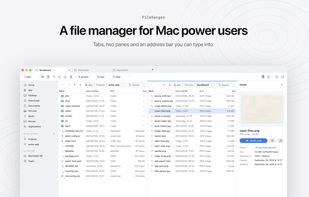
FileRanger is a native file manager for macOS, inspired by Windows Explorer and commander-style file managers. Every tab can be split into two panes (⌘3), and F5/F6 copy or move the selection to the other pane.

Platforms
- Mac


Features
Highlights All activities
FileRanger News & Activities
Recent activities
- nightlybuildgroup added FileRanger
- Paul updated FileRanger
- nightlybuildgroup updated FileRanger
 nightlybuildgroup added FileRanger as alternative to Finder, Double Commander, Total Commander, File Explorer and 4 more

Developed by
Unbogify GmbHLicensing
Proprietary and Commercial product.Pricing
One time purchase (perpetual license) that costs $10.Alternatives
8 alternatives listedBadge
Get an embeddable badge for FileRangerSupported Languages




No comments or reviews, maybe you want to be first?