File Explorer Pro Alternatives

File Explorer Pro is described as 'Free, secure tool that helps you find file faster, manage files easily, powerful file manager with a clean, and intuitive interface. You can easily find how many files & apps you have on your device at a glance instantly' and is a File Manager in the file management category. There are more than 50 alternatives to File Explorer Pro for a variety of platforms, including Linux, Windows, Mac, BSD and Android apps. The best File Explorer Pro alternative is Double Commander, which is both free and Open Source. Other great apps like File Explorer Pro are Spacedrive, Total Commander, Dolphin File Manager and Cyberduck.

Copy a direct link to this comment to your clipboard
File Explorer Pro alternatives page was last updated

Alternatives list

  1. Rodent icon
     3 likes

    What is Rodent?

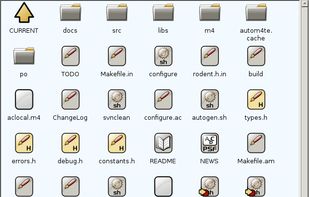
    Rodent is fast, small and powerful file manager for the GNU operating system (but it also works in BSD). That's one way to look at it. Another way is to call it a graphic shell (that's probably more accurate).

    Rodent wastes no space on menus or function.

    Cost / License

    • Free
    • Open Source

    Application type

    Alerts

    • Discontinued

    Platforms

    • Linux
    • Xfce
     
  2. 4pane icon
     3 likes

    4Pane is a highly configurable dual-pane Linux file manager.

    The name is derived from the fact that each of the two panes has two sub-panes: one that shows the directory tree pane and the other that shows files in the selected folder (tree node).

    Although deceptively simple-l.

    27 4pane alternatives

    Cost / License

    • Free
    • Open Source

    Application type

    Platforms

    • Linux
     
  3. cryo icon
     4 likes

    cryo is a visual file manager with free encrypted peer to peer file transfer capabilities and dual-pane mode.

    Cost / License

    • Freemium
    • Proprietary

    Application type

    Alerts

    • Discontinued

    Platforms

    • Mac
    • Windows
    • Linux
     
  4. WinBrowser icon
     4 likes

    WinBrowser features a multi-column interface as used on the Macintosh resulting in the most elegant file manager available for Windows today.

    Cost / License

    • Freemium
    • Proprietary

    Application type

    Alerts

    • Discontinued

    Platforms

    • Windows
     
  5. Rename, move, copy, delete, and otherwise manage multiple files. Rename multiple files according to the rules and pattern you specify using powerful editor with syntax highlighting. Copy, move files to folders specified using absolute/relative paths.

    Cost / License

    • Paid
    • Proprietary

    Application types

    Platforms

    • Windows
     
  6. Moroshka icon
     3 likes

    Moroshka File Manager is the classic 2-windows file manager focused on elegant user interface, usability and sets of unique features.

    Cost / License

    • Free
    • Proprietary

    Application type

    Alerts

    • Discontinued

    Platforms

    • Mac
     
  7.  QtFM icon
     3 likes

    Lightweight Linux/BSD File Manager.

    Cost / License

    • Free
    • Open Source

    Application type

    Platforms

    • Linux
     
  8. DCommander icon
     5 likes

    DCommander is a two-pane file manager that gives you full control over your computer's filesystem.

    Cost / License

    • Paid
    • Proprietary

    Application types

    Platforms

    • Mac
     
  9. Magican File icon
     2 likes

    Magican File is a professional program for Mac OS X that let you search and manage files on your disks.

    Cost / License

    • Free
    • Proprietary

    Application type

    Alerts

    • Discontinued

    Platforms

    • Mac
     
  10. Manager for Files - smart file explorer for your Windows 10 device!.

    Cost / License

    • Free
    • Proprietary

    Application type

    Platforms

    • Windows
     
  11. If you have to name one app which you miss most on your iPad, what would that be? Well, if you use and love your iPad as much as we do, then it ought to be “Explorer” for Windows users and “Finder” for the ones who are coming from Mac World.

    Cost / License

    • Paid
    • Proprietary

    Application type

    Platforms

    • iPad
     
You are at page 5 of File Explorer Pro alternatives