
Fadocx
Like
All-in-one offline document viewer for Android with OCR and desktop-class rendering — private, open-source, zero tracking.

Cost / License
- Free
- Open Source (GPL-3.0)
Platforms
- Android
- Android Tablet
Features
Properties
- Privacy focused
Features
- Dark Mode
- OCR
- Works Offline
- No Tracking
- No registration required
- Full-Text Search
- AI-Powered
Fadocx News & Activities
Highlights All activities
Recent activities
POX added Fadocx as alternative to SumatraPDF, Foxit PDF Reader, Evince and LibreOffice - Draw- POX added Fadocx
Fadocx information
No comments or reviews, maybe you want to be first?
What is Fadocx?
All-in-one document viewer: PDF, Office, spreadsheets, presentations, code files & OCR text extraction — fully offline, zero tracking, open-source.
Features:
Documents, Spreadsheets & Presentations
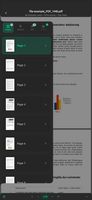
- PDF via native pdfrx engine — page navigation, text selection & extraction, invert mode, text reader mode, and spotlight search (animated dim+punch-hole effect for found terms)
- Microsoft Office: DOCX, DOC, XLSX, XLS, PPT, PPTX
- OpenDocument: ODT, ODS, ODP
- Other: RTF, CSV
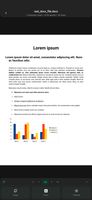
- All Office and OpenDocument formats powered by the embedded LibreOffice Kit for desktop-class rendering
- Apache POI handles native spreadsheet parsing on Android
- Sheets & CSV: Sticky row numbers on left, sticky column headers (A, B, C…), tap to highlight row/column, copy cell values, zoom in/out, fullscreen mode
- TXTs & Code: Adjustable font picker (Ubuntu, Mono), word wrap, copy mode, fast theme toggle
Images, Audio & Video
- Images: PNG, JPG, GIF, WEBP, BMP, SVG — view with real frame extraction from files
- Video: MP4, MKV, AVI, MOV, WEBM, FLV, WMV, 3GP, MXF — video preview with frame thumbnails
- Audio: MP3, M4A, AAC, FLAC, WAV, WMA, OGG, OPUS, AIFF
Code Files
- Code/Data: Java, Python, Shell, HTML, JSON, XML, Markdown, Log
- Syntax highlighting with color-coded rendering
- Adjustable font size, word wrap, and reading mode
Intelligent OCR & On-Device AI
- Extract English text from images via Tesseract OCR + OpenCV preprocessing
- Dual PSM modes and automatic rotation correction for accurate results
- All AI runs entirely on-device — no cloud, no uploads, complete privacy
- More OCR languages planned for future releases
Library with Category Folders
- Files are auto-organized into categories (PDF, Docs, Sheets, Slides, Images, Video, Audio, Code, Scans, Other) with fast filters and sorting
- Files are stored in Fadocx's private app storage — no reliance on public folders
- Browse by category with dedicated chip filters
- Search by file name or type
- Sort by latest, oldest, largest, or smallest
- Switch between grid and list views
- Rich dynamic thumbnails — thumbnails are generated by extracting real document content and rendering it in a readable preview, giving you a genuine look at each file before opening
File Management
- Import: Browse your device or use the file picker to import documents into Fadocx's private storage. Files are automatically sorted into the correct category folder
- Rename: Change file names directly in-app with extension preservation
- Duplicate: Create copies with auto-numbered names ("copy", "copy 2", etc.)
- Export: Save files to Downloads or choose a custom location
- Delete: Soft-delete with trash bin and restore option
- Multi-select: Long-press to enter selection mode for batch operations
- File info: View detailed metadata including size, type, dates, and extracted text