
Adjust the color temperature of your screen according to your surroundings. This may help your eyes hurt less if you are working in front of the screen at night.
Cost / License
- Free
- Open Source (GPL-3.0)
Application type
 United States
Platforms
- Linux
- Wayland
G


The top-rated alternative to f.lux is SunsetScreen. It's paid, but RedshiftGUI and Twilight are free. People also recommend Redshift, Red Moon, LightBulb and Iris mini. Color Temperature Tools like f.lux are a crowded field, with more than 50 alternatives for Windows, Mac, Linux, Android and Chrome OS.
Adjust the color temperature of your screen according to your surroundings. This may help your eyes hurt less if you are working in front of the screen at night.

CareUEyes is a very simple but useful program when it is about your eye care. The program comes with a very simple and clean interface and needs to technical knowledge. Even a novice computer user can download and use it easily.
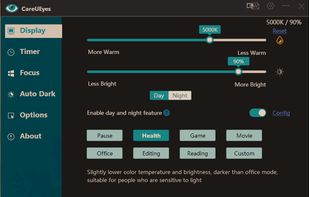
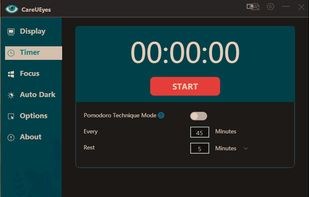


It makes the color of your computer's display adapt to the time of day, warm at night and like sunlight during the day.
 Brazil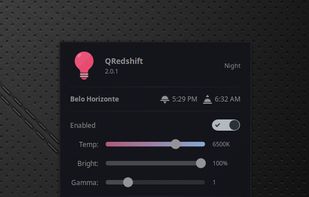


Free software for eye protection and more! It protects your eyes while you are working on the computer. Eye Saver has three main functions: blue light filter; eliminates the invisible flickering of the display backlight; reminds you to take breaks;
 United Kingdom


 Portugal
 EU
EU


Twilight Blue Light Filter is an optimal night filter that can be created to provide a warm light night screen for your eye care.
 India
India
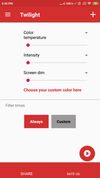




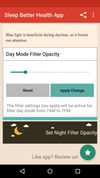
Do you use your mobile phone after sunset? Do you use your phone within three hours of your bed time? If yes, then your device might be taking your sleep away. Bluelight from your mobile screens sends a signal to brain to wake up, and makes it difficult for us to sleep at night.



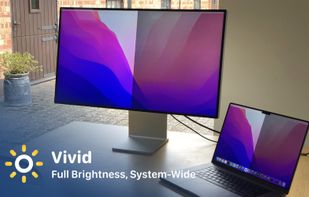
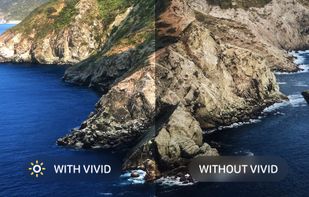
Vivid is a software that enables users to amplify the brightness of their MacBook Pro and Pro Display XDR, system-wide, utilizing standard Apple APIs.


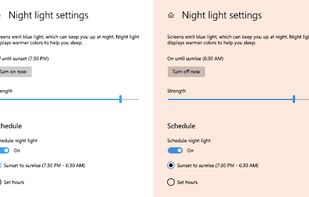
To schedule Night Light so it turns on automatically, select Start > Settings > System > Display > Night light > Night light settings.


 Denmark


