Eye Saver Alternatives

Eye Saver is described as 'Free software for eye protection and more! It protects your eyes while you are working on the computer. Eye Saver has three main functions: blue light filter; eliminates the invisible flickering of the display backlight; reminds you to take breaks;' and is a color temperature tool in the os & utilities category. There are more than 50 alternatives to Eye Saver for a variety of platforms, including Windows, Mac, Linux, Android and Wayland apps. The best Eye Saver alternative is f.lux, which is free. Other great apps like Eye Saver are Redshift, LightBulb, Red Moon and RedshiftGUI.

Copy a direct link to this comment to your clipboard
Eye Saver alternatives page was last updated

Alternatives list

  1. Copy a direct link to this comment to your clipboard

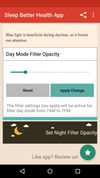
    Do you use your mobile phone after sunset? Do you use your phone within three hours of your bed time? If yes, then your device might be taking your sleep away. Bluelight from your mobile screens sends a signal to brain to wake up, and makes it difficult for us to sleep at night.

    46 Night Shift: Blue Light Filter alternatives

    Cost / License

    • Free
    • Proprietary

    Application type

    Platforms

    • Android
    • Android Tablet
     
  2. Copy a direct link to this comment to your clipboard

    Setting the color temp of the screen really only requires about 40 lines of C (80 or so all inclusive). sct is a crude utility which does roughly that. I’d say exactly that, but some of the calculations aren’t actually exact.

    Cost / License

    • Free
    • Open Source

    Application type

    Platforms

    • Linux
     
  3. Night Screen icon
     1 like
    Copy a direct link to this comment to your clipboard

    Night Screen is created for those people who spend a lot of time at night working.

    Limit your exposure to energy-efficient lighting before bed. In addition to the LED screens in your electronics, energy-efficient lighting emits a lot of blue light.

    Cost / License

    • Pay once
    • Proprietary

    Application type

    Platforms

    • Mac
     
  4. EyeSavior icon
     2 likes
    Copy a direct link to this comment to your clipboard

    EyeSavior is Windows utility that allows changing monitor brightness from desktop. You can change monitor brightness manually or if you have hardware light sensor monitor brightness will be changed automatically according to your settings.

    Cost / License

    • Free
    • Proprietary

    Platforms

    • Windows
     
  5. Copy a direct link to this comment to your clipboard

    iBrightness Tray is a little bit of a swiss army knife display tool as adjusting the brightness of your screen is just one of three main functions it has. The other two are turning on your screensaver at the click of a button and also the ability to turn off the display...

    Cost / License

    • Free
    • Proprietary

    Application type

    Alerts

    • Discontinued

    Platforms

    • Windows
     
  6. Shady icon
     5 likes
    Copy a direct link to this comment to your clipboard

    Shady puts a shade over your screen to help soothe your tired or dazzled eyes. You can use it to reduce your Mac's brightness far below the usual minimum, without any risk of damage to your screen.

    Cost / License

    • Free
    • Open Source

    Platforms

    • Mac
     
  7. Copy a direct link to this comment to your clipboard

    Lux Automatically Adjusts Your Screen Brightness.

    Cost / License

    • Freemium
    • Proprietary

    Platforms

    • Android
     
  8. Calise icon
     3 likes
    Copy a direct link to this comment to your clipboard

    A Python program that calculates ambient brightness and sets screen's correct backlight using a camera.

    Cost / License

    • Free
    • Open Source

    Application type

    Platforms

    • Linux
     
  9. myPoint Shade icon
     2 likes
    Copy a direct link to this comment to your clipboard

    Stop burning your eyes! myPoint Shade is caring for your eyes' comfort.

    If you work in a dark room or struggle with eye strain and headache, myPoint will tune up your displays - this way it will care for your health and comfort.

    myPoint allows you to adjust the brightness o.

    Cost / License

    • Pay once
    • Proprietary

    Application type

    Platforms

    • Mac
     
  10. Lumen icon
     2 likes
    Copy a direct link to this comment to your clipboard

    Lumen - magic auto brightness based on screen contents. You control Lumen simply by using your brightness keys - it'll automatically learn your preferences.

    Cost / License

    • Free
    • Open Source

    Application type

    Alerts

    • Discontinued

    Platforms

    • Mac
     
  11. SunshinePal icon
     1 like
    Copy a direct link to this comment to your clipboard

    SunshinePal is your daily sunlight companion designed to help you track your exposure, set healthy goals, and reconnect with nature for better sleep and mood.

    Cost / License

    • Freemium (Pay once)
    • Proprietary

    Platforms

    • iPhone
    • Apple Watch
     
    • SunshinePal is the most popular iPhone alternative to Eye Saver.

    • SunshinePal is Freemium and ProprietaryEye Saver is Free and Proprietary
  12. LumiGuard icon
     Like
    Copy a direct link to this comment to your clipboard

    Experience a more comfortable screen during nighttime use with LumiGuard: Night Mode. Adjust your display's color temperature and brightness to reduce eye discomfort in low-light environments.

    Cost / License

    • Freemium (Subscription)
    • Proprietary

    Platforms

    • Android
     
You are at page 4 of Eye Saver alternatives