Cost / License
- Free
- Open Source
Alerts
- Discontinued
Platforms
- Mac
- Linux

Evince is described as '(or GNOME Document Viewer) is a document viewer for multiple document formats: PDF, Postscript, djvu, tiff, dvi, XPS, SyncTex support with gedit, comics books (cbr,cbz,cb7 and cbt) and others. See Supported Document Formats for details' and is a very popular PDF Reader in the office & productivity category. There are more than 100 alternatives to Evince for a variety of platforms, including Windows, Mac, Android, iPhone and iPad apps. The best Evince alternative is SumatraPDF, which is both free and Open Source. Other great apps like Evince are Okular, Foxit PDF Reader, Xournal++ and KDAN PDF.

SlimPDF Reader is a high quality PDF viewer that is only 1.5MB in size. Features and benefits:


View and add comments to Adobe PDF files and fill interactive forms on any Android phone or tablet.


Comic Book Reader is the viewer you need to enjoy all your electronic publication. It is available both as Desktop and Windows 8 Metro UI for PC and tablets.


Panels is a CBR/CBZ/PDF comic reader for your iPhone and iPad devices. Enjoy reading your comics in a clean and delightful interface.


Convert PDF to PNG, convert PDF to JPG and to other formats for free without registration and watermarks. Convert PNG to PDF, JPG to PDF, HTML to PDF.

Sonic PDF is your go-to PDF editor for Windows, offering intuitive tools for document processing.


Discover Feather PDF, the ultimate PDF editor that prioritizes your privacy. Enjoy powerful editing features without data collection and gain lifetime access with a one-time payment.

FeatherPDF Editor is the most popular SaaS alternative to Evince.
BePDF is a PDF viewer for the BeOS, Haiku & Zeta. Besides viewing, it supports annotating and user-defined bookmarking for unencrypted PDFs. It's fully localized for 20 languages at the moment with additional languages being easily added via text files.
BePDF is based o.

AI powered productivity tool for reading, understanding and taking notes on PDFs and long websites. Users can search, summarise, extract and define keywords, ask google-search type questions and be taken straight to the answers.


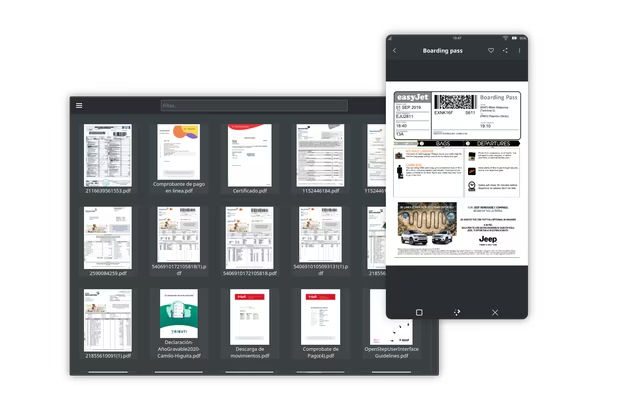
The Document Reader scan and find a list of all documents on your phone, allowing you to quickly open, read, and manage your documents in one convenient place.