


eSearch
2 likes
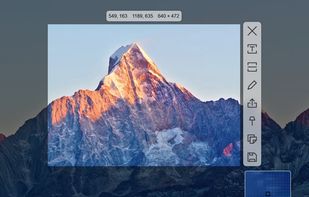
Supports screenshots for simple annotation or to paste images on the screen. Images can be recognised by OCR for searching or translation. Images can be searched. The screen can be recorded for simple editing.

Cost / License
- Free
- Open Source (GPL-3.0)
Application typeApplication types
Since
- Since 2022
Releases
- 16 releases last year16 last year
GitHub
- GitHub stars: 7.4k


Features
Highlights All activities
eSearch News & Activities
Recent activities



Developed by
xushengfengLicensing
Open Source (GPL-3.0) and Free product.Written in
Alternatives
9 alternatives listedBadge
Get an embeddable badge for eSearchSupported Languages

AlternativeTo Categories
Photos & Graphics, Office & ProductivityGitHub repository
- 7,432 Stars
- 533 Forks
- 48 Open Issues
- Updated



Comments and Reviews
This screenshot tool look really promising ! Pros : The OCR feature work great. Color picker works great.
Cons : A bit laggy to start (Linux KDE Plasma Wayland) Not fully english translated