Stop pasting confidential work into a chatbot.
If English isn't your first language, chances are you're rewriting every Slack message and email in a browser tab—pasting client names, contracts, and internal plans into ChatGPT or Google Translate just to make them sound right.
Echoo does it inline instead. Write in your native language, select the text in any Mac app, press a shortcut, and natural English replaces it right where you're already working: Mail, Slack, Notion, Word, browsers—anywhere you can select text.
No API key. No setup.
Echoo Pro just works. No developer account, no API keys, no billing dashboard. Install it, choose a shortcut, and start writing.
10 free credits to try, no credit card. Then $6.99/month for 300 credits or $9.99/month for 600. Cancel anytime.
Your text goes to the API, not to a chat app
Echoo never stores your text—not on our servers, not on your device.
Echoo Pro sends it through the OpenAI API, where inputs are not used to train models. That is the API, not the consumer ChatGPT app you might otherwise paste into. Different product, different data policy.
Bring your own key instead and requests go straight from your Mac to your provider, never touching Echoo's servers. Your key lives in the Apple Keychain. Run Ollama locally and nothing leaves your Mac.
That's the difference between "AI helped me write this email" and "I pasted confidential work into a consumer chatbot."
Screen Context
Most AI tools only see the text you highlighted. Echoo can see the screen around it.
Toggle Screen Context on for any command and Echoo captures your display with macOS ScreenCaptureKit, sending it alongside your text. The AI sees the Slack thread you're replying to, the code in your IDE, the mockup you're reviewing—so the reply is about the conversation, not just the sentence. With voice and nothing selected, it switches to screen-only mode.
Off by default, set per command, so you decide when the AI sees your screen.
Memory — commands that learn your writing
On Pro and Max, Memory is a per-command switch. Turn it on and that command remembers your earlier requests and its own results, learning your terms, your tone, how long your sentences run, and how much detail you keep.
Each result needs a little less fixing than the last. A company name like "Arkency" stops getting "corrected" out of your writing. You pick which commands use it, and you can reset any of them.
It keeps your voice
This isn't literal translation. A direct message stays direct. A friendly message still sounds like you—not stiff, textbook English.
Also included
-
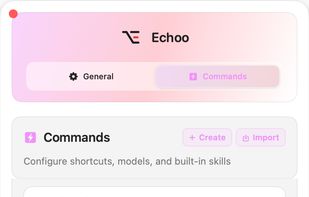
Editable prompt commands you can rewrite and chain into multi-step workflows
-
On-device voice dictation—transcription runs locally on your Mac
-
10+ cloud and local models: OpenAI, Anthropic, Google, or Ollama
Requires macOS 14 or later.







 Michael Elkabetz added Echoo as alternative to RewriteBar, Grammarly, DeepL Write, Apple Intelligence and 7 more
 Echoo
Echoo 


No comments or reviews, maybe you want to be first?