DuoBolt is a high-performance desktop application for reclaiming disk space, with two engines.
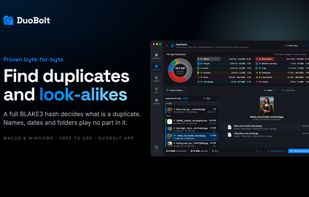
The first uses a multi-threaded BLAKE3 scan engine to perform exact, byte-for-byte comparisons across folders, codebases, design archives, external drives, and NAS volumes — without relying on filenames, metadata, or heuristics.
The second finds similar photos: bursts, edits, re-saves, and screenshots of the same shot. It groups them across five bands of tightness, keeping variants and look-alikes apart, and AI Curation ranks each group and names the measures behind every pick — face sharpness, exposure, eyes open, smile, resolution. All analysis runs on the local machine. Nothing is uploaded, no account is required, and no connection is used.
The workflow is review-first and predictable:
• Select locations to scan
• Review results in two columns — groups on one side, their files on the other — with filtering by name, file type, extension, tag and size range
• Act safely: move to the system Trash or Recycle Bin, delete, archive to a folder of your choice, copy elsewhere, or on a Mac replace a copy with an APFS clone
• Track every operation in a persistent history and restore files when needed
Sync Folders compares two folders by their contents and brings them in line, mirroring either way or both ways. Both ways keeps a record of the last sync, so it knows which side changed, and a file changed on both sides waits for a decision instead of being overwritten by the newer date.
On macOS, DuoBolt detects APFS clones — files that share storage on disk — and reports them as 0 B recoverable, so the space it promises is the space the disk actually frees. Replace with clone goes the other way: it turns a marked duplicate into a clone of the copy kept, so both files stay and the disk stores them once.
Designed for professional environments where correctness, transparency, and reversibility are essential.
Every download starts with a 7-day Pro trial. After it ends, DuoBolt keeps working: scans, comparisons and results stay complete and unlimited, and a single operation — a removal, a clone run or a sync — is capped at 25 files or 500 MiB. A one-time license removes the cap — Standard for duplicates and syncing, Pro for similar photos and AI Curation. There is no subscription.






 EU
EU


 Ruben N. added DuoBolt as alternative to PhotoSweeper and Cisdem Duplicate Finder


 Qoncept Apps


No comments or reviews, maybe you want to be first?