
DropReady Media icon

DropReady Media

DropReady Media is a local photo and video preparation utility for macOS. It helps turn media copied from an iPhone to a Mac into practical formats and sizes for email, web forms, chat, uploads, and sharing with Windows users.
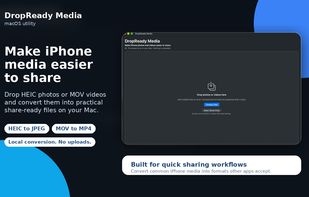
DropReady Media screenshot 1

Cost / License

  • Pay once
  • Proprietary

Platforms

  • Mac  Requires macOS 13.0 or later. Supports both Apple silicon and Intel Macs.
0likes
0comments
0articles

Features

Properties

  1.  Privacy focused
  2.  Lightweight

Features

  1.  Ad-free
  2.  Works Offline
  3.  No Tracking
  4.  No registration required
  5.  Batch Editing
  6.  Dark Mode
  7.  Drag and Drop
  8.  Video Converter
  9.  Image Conversion
  10.  Batch processing
  11.  Remove metadata

DropReady Media News & Activities

Highlights All activities

Recent activities

DropReady Media information

  • Developed by

    JP flagToybird Labs
  • Licensing

    Proprietary and Commercial product.
  • Pricing

    One time purchase (perpetual license) that costs from $2.
  • Alternatives

    6 alternatives listed
  • Supported Languages

    • English
    • French
    • German
    • Italian
    • Japanese
    • Korean
    • Portuguese
    • Chinese
    • Spanish

AlternativeTo Categories

Photos & GraphicsVideo & Movies
DropReady Media was added to AlternativeTo by miino on and this page was last updated .
No comments or reviews, maybe you want to be first?

What is DropReady Media?

DropReady Media is a local photo and video preparation utility for macOS. It helps turn media copied from an iPhone to a Mac into practical formats and sizes for email, web forms, chat, uploads, and sharing with Windows users.

Drag multiple photos and videos into the same window, then choose Smaller, Standard, High Quality, or Near Original. DropReady Media estimates the output size before conversion and processes the files together in one queue.

Supported photo inputs include HEIC, HEIF, JPEG, JPG, and PNG, with output as JPEG or PNG. Supported video inputs include MOV, MP4, and M4V, with output as broadly compatible MP4 files using H.264 video and AAC audio.

Quick Drop provides a compact floating panel for repeated conversions using a saved preset and output folder. The app also supports image resizing, optional photo metadata removal, result summaries, retrying unfinished files, and revealing or sharing converted files directly.

All processing takes place locally on the Mac. Photos and videos are not uploaded to external servers. DropReady Media does not require an account and contains no ads, analytics, or tracking. Original files are never overwritten or deleted.

DropReady Media Videos

Official Links