DropLink — Local File Sharing icon

DropLink — Local File Sharing

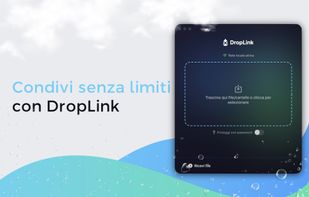
The AirDrop alternative that works everywhere. Share files between Mac, Windows, iPhone and browsers — peer-to-peer, end-to-end encrypted, offline-capable. No cloud storage, no accounts, no tracking. Fast on LAN, falls back to direct P2P over the Internet.

DropLink — Local File Sharing screenshot 1

Cost / License

  • Freemium (Pay once)
  • Proprietary

Platforms

  • Mac
  • Windows
  • iPhone  Coming Soon
DropLink — Local File Sharing screenshot 1
DropLink — Local File Sharing screenshot 2
+1
DropLink — Local File Sharing screenshot 3
1like
0comments
0alternatives
0articles

Features

Properties

  1.  Privacy focused
  2.  Lightweight

Features

  1.  AES-256 Encryption
  2.  Block Trackers
  3.  Supports Zip files
  4.  Anonymous Proxy
  5.  End-to-End Encryption
  6.  No Logs
  7.  Works Offline
  8.  No Tracking
  9.  No registration required
  10.  Multi Platform
  11.  Peer-To-Peer
  12.  Native application
  13.  Local network sharing
  14.  Web interface
  15.  Drag and Drop
  16.  Network Tools
  17.  Cross-Platform
  18.  Local server

DropLink — Local File Sharing News & Activities

Highlights All activities

Recent activities

DropLink — Local File Sharing information

  • Developed by

    IT flagMARCO ABBATTISTA
  • Licensing

    Proprietary and Freemium product.
  • Pricing

    One time purchase (perpetual license) + free version with limited functionality.
  • Alternatives

    0 alternatives listed
  • Supported Languages

    • English
    • Arabic
    • Chinese
    • French
    • German
    • Greek
    • Italian
    • Russian
    • Spanish
DropLink — Local File Sharing was added to AlternativeTo by DropLink on and this page was last updated .
No comments or reviews, maybe you want to be first?

What is DropLink — Local File Sharing?

DropLink is a cross-platform file sharing app that lets you send files between Mac, Windows, iPhone and any web browser — without the cloud, without accounts, and without giving up your privacy. It's the AirDrop alternative that finally works with every device on your network.

How it works

On the same WiFi, DropLink discovers nearby devices automatically using Bonjour/mDNS and transfers files peer-to-peer over QUIC — the same modern protocol used by HTTP/3. No server in the middle, no upload to the cloud: bytes go straight from one device to the other at full LAN speed.

When you need to send something to someone on a different network, DropLink switches to direct Internet P2P with NAT traversal (hole punching). Files still travel end-to-end encrypted between the two devices, never stored on a third-party server. If a direct path isn't possible, traffic falls back to an encrypted relay — but the content stays opaque: the relay can't read your files.

Privacy by design

  • End-to-end encryption on every transfer (TLS 1.3 on LAN, curve25519 + TLS 1.3 on Internet P2P)
  • Zero cloud storage — files never sit on anyone's server
  • No account, no registration, no email required
  • No tracking, no analytics, no telemetry
  • Optional password protection on every share
  • Works fully offline on local networks
  • Open to anyone: the receiver doesn't even need the app — a browser is enough

Cross-platform, really

  • Native macOS app (SwiftUI) with Finder share extension
  • Native Windows app (Tauri v2) with system tray and autostart
  • Native iOS app with Share Sheet and Live Activity for transfer progress on the lock screen
  • Web UI embedded in the app — send to any device with a browser, no install required

Built for speed

BBR congestion control, 0-RTT session resumption, hardware-accelerated ciphers (AES-NI on x86, ChaCha20 on ARM), MTU discovery, 8 MB UDP buffers, parallel downloads. DropLink saturates your WiFi — multi-gigabit transfers on a modern LAN are routine.

Smart features

  • Automatic device discovery on the same network
  • Drag & drop files and folders (folders are auto-zipped with adaptive compression)
  • Resumable downloads (HTTP Range requests)
  • Request-to-send flow: receiver can accept or reject before the transfer starts
  • Real-time progress, speed, ETA and transport type (LAN / P2P / Relay)
  • QR code pairing for quick browser-to-app sharing
  • AP isolation detection (warns you when a hotel/coffee-shop WiFi blocks device-to-device traffic)
  • Multi-language UI: English, Italian, Spanish, French, German, Russian, Arabic, Chinese, Greek

Who it's for

Anyone who wants AirDrop-like simplicity across every platform: designers moving assets between Mac and Windows, developers pushing builds to an iPhone, families sharing photos at home without Google Drive or iCloud, teams in offices that can't (or won't) use public cloud services for file transfer.

Official Links