




DRmare Spotify Music Converter
4 likes
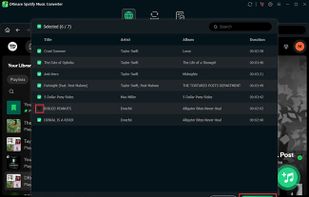
DRmare Spotify Music Converter is the best tool for downloading and converting Spotify music, playlists, albums, podcasts, and audiobooks to MP3, M4A, AIFF, FLAC, WAV, and other formats, for playback on any mobile device or MP3 player, without a Spotify Premium account.


Features
Highlights All activities
DRmare Spotify Music Converter News & Activities
Recent activities
- DRmare liked DRmare Spotify Music Converter
- Annie Yazbeck updated DRmare Spotify Music Converter
 Kingshiper Soft added DRmare Spotify Music Converter as alternative to MusicFre
 Paul added DRmare Spotify Music Converter as alternative to Antra
 astriayuhang0419 added DRmare Spotify Music Converter as alternative to TuneMobie Music One
 RemovedUser added DRmare Spotify Music Converter as alternative to Lucida (Online Stream Ripper)


Developed by
 DRmare
Licensing
Proprietary and Commercial product.Pricing
One time purchase (perpetual license) ranging between $19 and $89.Alternatives
37 alternatives listedBadge
Get an embeddable badge for DRmare Spotify Music ConverterSupported Languages


Comments and Reviews
I like DRmare Spotify Music Converter because of its high quality and fast conversion speed.