





DocWeave
1 like
Turn annotated screenshots into professional SOPs, training manuals, and runbooks — export to PDF, Word, PowerPoint, HTML and more.

Cost / License
- Pay once
- Proprietary
Application typeApplication types
Platforms
- Windows


Features
DocWeave News & Activities
Highlights All activities
Recent activities
- Milin Patel thinks Annotate Screenshot is a important feature of DocWeave
- Milin Patel commented on DocWeave
Hi all — I'm the developer of DocWeave. I built it because documenting processes with Word + a screenshot tool was painfully slow, and the good web alternatives are all subscription + cloud-only.
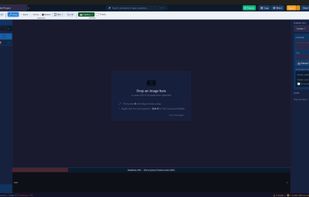
DocWeave is a Windows desktop app: paste a screenshot, annotate it (numbered callouts, arrows, blur/redaction), add other blocks like checklists or tables, and export to PDF, HTML, Word, PowerPoint or Markdown. It runs fully offline, no account needed.
It's a one-person project, so I read every bit...
- Milin Patel liked DocWeave
- Milin Patel added DocWeave
 Milin Patel added DocWeave as alternative to Scribehow, Guidde, Snagit, ScreenSteps and 2 more


DocWeave information
Licensing
Proprietary and Commercial product.Pricing
One time purchase (perpetual license) ranging between $50 and $150.Alternatives
9 alternatives listedBadge
Get an embeddable badge for DocWeaveSupported Languages


Comments and Reviews
Hi all — I'm the developer of DocWeave. I built it because documenting processes with Word + a screenshot tool was painfully slow, and the good web alternatives are all subscription + cloud-only.
DocWeave is a Windows desktop app: paste a screenshot, annotate it (numbered callouts, arrows, blur/redaction), add other blocks like checklists or tables, and export to PDF, HTML, Word, PowerPoint or Markdown. It runs fully offline, no account needed.
It's a one-person project, so I read every bit of feedback — happy to answer questions or take feature requests here. There's a free 15-day trial if you want to try it.