





DocSnap
1 like
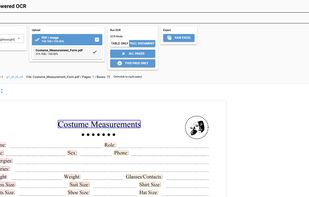
Extracts tables and text from PDF and image files using AI-powered OCR. Supports table and full document extraction modes, allows manual data editing, exports formatted results to Excel, works offline with privacy, supports 14 interface languages, and runs on Windows.

Cost / License
- Pay once
- Proprietary
Platforms
- Windows

Features
DocSnap News & Activities
Highlights All activities
Recent activities
- bumpstar28 liked DocSnap
 Danilo Venom added DocSnap as alternative to Chandra, Open Scanner, ClarifyDocuments, Parser and 4 more
- Danilo Venom removed all alternatives from DocSnap
- Danilo Venom updated DocSnap
- bumpstar28 added DocSnap
 bumpstar28 added DocSnap as alternative to Tabula, Online Convert, CometDocs, Free File Converter and 12 more


DocSnap information
Developed by
 bumpstar28
 Licensing
Proprietary and Commercial product.Pricing
One time purchase (perpetual license) that costs $12.Alternatives
8 alternatives listedBadge
Get an embeddable badge for DocSnapSupported Languages
AlternativeTo Categories
Office & Productivity, AI Tools & Services, Education & ReferenceGitHub repository
- 0 Stars
- 0 Forks
- 0 Open Issues
- Updated


No comments or reviews, maybe you want to be first?