


Paperless AI
12 likes
An automated document analyzer for Paperless-ngx using OpenAI API, Ollama, Deepseek-r1, Azure and all OpenAI API compatible Services to automatically analyze and tag your documents.
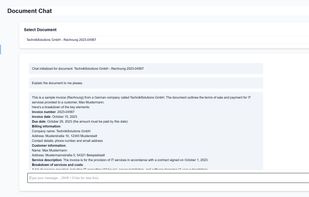

Cost / License
- Free
- Open Source (MIT)
Application type
Platforms
- Self-Hosted
- Docker


Features
Highlights All activities
Paperless AI News & Activities
Recent News
No news, maybe you know any news worth sharing?
Share a News Tip
Recent activities
- lukita0288 liked Paperless AI
- benni liked Paperless AI
 Danilo Venom added Paperless AI as alternative to Open Scanner, Chandra, ClarifyDocuments, Parser and 3 more
 llhda130-sketch added Paperless AI as alternative to GenieDoc
- salliewithaneyeeee liked Paperless AI
 level44 added Paperless AI as alternative to Keeborg
- Aaron added Ad-free as a feature to Paperless AI
- Aaron added No Tracking as a feature to Paperless AI
- Aaron added No Coding Required as a feature to Paperless AI
- Aaron added No registration required as a feature to Paperless AI


Developed by
ClusterzxLicensing
Open Source (MIT) and Free product.Written in
Alternatives
21 alternatives listedBadge
Get an embeddable badge for Paperless AISupported Languages

AlternativeTo Categories
AI Tools & Services, Office & Productivity, File ManagementGitHub repository
- 5,972 Stars
- 330 Forks
- 55 Open Issues
- Updated


No comments or reviews, maybe you want to be first?