Dism++ icon
Dism++ icon

Dism++

 29 likes

Dism++ is a free portable Windows optimizer and manager.
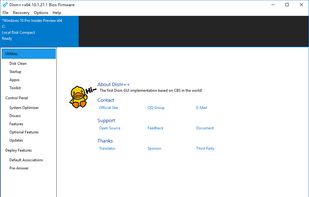
Dism++ screenshot 1

Cost / License

  • Free
  • Proprietary (MIT)

Application type

Since

  • Since 2016 (updated Oct 2026)

Releases

  • No releases last yearNone last year

Alerts

  • Discontinued

GitHub

  • GitHub stars: 20.8k

Platforms

  • Windows  Windows Vista/7/8/8.1/10
Discontinued

The last update was in March 2023, and it seems that the developer no longer has time to work on the project.

29likes
0articles
Save

Features

Properties

Features

Highlights All activities

Dism++ News & Activities

Recent News

No news, maybe you know any news worth sharing?

Share a News Tip

Recent activities

  • OmegaSolver icon
    Fabián Leonardo Aguirre added Dism++ as alternative to OmegaSolver
  • kramermillay liked Dism++
  • brokesimp69 liked Dism++
  • Wimwizard icon
    user2 added Dism++ as alternative to Wimwizard
  • b9wzo9tz liked Dism++
  • bangla liked Dism++

Dism++ information

AlternativeTo Category

OS & Utilities

GitHub repository

  •  20,809 Stars
  •  1,243 Forks
  •  334 Open Issues
  •   Updated  
View on GitHub

Popular alternatives

View all

Our users have written 2 comments and reviews about Dism++, and it has gotten 29 likes.

Dism++ was added to AlternativeTo by htjywf2008 on and this page was last updated .

Comments and Reviews

   
WeiHua Liu
1

DISM++ can clean up junk, delete UWP applications, remove optional features, and compress system files. While NTlite is able to remove system components using Windows API, DISM++ is not.

htjywf2008
-4

Although it's English language still need improve, but it still a great tools. and the English language translator should be American or British.

The Good

  • Useful Features
  • More than just a System Cleaner
  • More useful tweaks

The Bad

  • English language translation is Pretty bad
  • Not as Powerful as some special tools
  • Does not have automatic backup
  • Lack select Language opinion
  • Doesn't have English document

[Edited by htjywf2008, August 03]

Featured in Lists

Windows

I use these software on Windows
By yaqinking63 appsUpdated

+MultiBoot-Creators

Tools that allow the creation of (Flash-Memory) Drives offering more than one Operating-System.
By leahparsuidualc10 appsUpdated

Programas Essenciais

Kaspersky
By Hérquimos Souza185 appsUpdated

Official Links

Install from the command line

  • winget install -e --id ChuyuTeam.DISM++

Be careful what you paste into a terminal. Check what a command installs before running it.

What is Dism++?

DISM ++ Product Features:

  • System Optimizer – tweak various sytem-wide settings. Export/delette new
  • Creation of ISO files
  • Using ESDs
  • Conversion of WIM to ESC/sWM
  • Manage User accounts
  • Manage startup applications
  • Manage services
  • System backup/ Restore/ Startup repair/ Activation backup/ God Mode