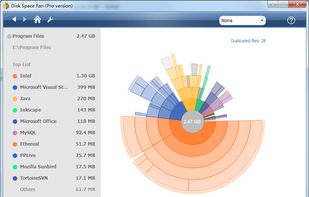
Helps you figure out where all that hard drive space has gone on your computer. Visually displays the size of each folder in the form of a bar graph.

Disk Space Analyzer is described as 'Allows you to easily find and remove the bulkiest content for your Mac or external storage. You can see your Mac disk usage, find folders that take up the most space, and manage hard drive space by moving or removing files' and is a disk usage analyzer in the os & utilities category. There are more than 50 alternatives to Disk Space Analyzer for a variety of platforms, including Windows, Mac, Linux, BSD and Flathub apps. The best Disk Space Analyzer alternative is WinDirStat, which is both free and Open Source. Other great apps like Disk Space Analyzer are WizTree, Baobab Disk Usage Analyzer, Filelight and TreeSize.
Helps you figure out where all that hard drive space has gone on your computer. Visually displays the size of each folder in the form of a bar graph.

Disk Space Finder helps visualize your data to find wasted space. It shows you a graphical diagram of what is takeing up your space.

O&O DiskStat is a high-power tool for analyzing the used disk space on your storage volumes. With an easy-to-use interface based on the design of the Windows Explorer, you can take a closer look at the file and folder structure of your internal and external drives.

Disk Space Visualizer digs for a free disk space. This freeware program was created to simplify "garbage collection" procedures. In a typical usage the hard drive space is slowly filled up by the useless data. This may include temporary files, rarely used software, and.

The most powerful disk space sizing and analysis utility there is! Answering the Who/What/Where/When of your Disk Space.


StorageRadar maps your disk, shows blocked paths instead of hiding them, lets you dry-run cleanup, and compares what changed over time. Scan data stays local, while analytics and diagnostics remain separately controllable in settings.


DiskSweep allows you to easily see which files and folders are taking up the most disk space and delete the unnecessary ones to free up space.

Help you to view at a glance all the folders, files inside them and the space occupied by them on your system