
DirectGate icon
DirectGate icon

DirectGate

 3 likes

DirectGate is a secure, cross-platform remote desktop solution that lets you access and control Windows, macOS, and Linux computers directly from any web browser.
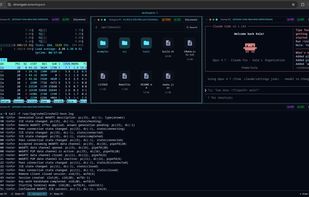
DirectGate screenshot 1

Cost / License

  • Freemium (Subscription)
  • Open Source (LGPL-3.0)

Application type

Since

  • Since 2026

Updated

  • Updated Nov 2026

Platforms

  • Mac
  • Windows
  • Linux
  • Online
  • Software as a Service (SaaS)
3likes
0articles
Save

Features

Properties

Features

Highlights All activities

DirectGate News & Activities

Recent activities

DirectGate information

AlternativeTo Categories

Remote Work & Education, OS & Utilities

GitHub repository

  •  26 Stars
  •  3 Forks
  •  0 Open Issues
  •   Updated  
View on GitHub
DirectGate was added to AlternativeTo by DirectGate on and this page was last updated .

No comments or reviews, maybe you want to be first?

Official Links

What is DirectGate?

DirectGate is a secure, lightweight, cross-platform remote desktop solution that lets you access and control your computers directly from a web browser. No client installation, VPN, or port forwarding is required.

Designed for both personal and professional use, DirectGate combines high-performance remote access with strong security, minimal resource consumption, and broad platform compatibility.

Key Features

  • Browser-Based Remote Desktop — Access your computers from Chrome, Firefox, Safari, or Edge without installing additional client software.

  • Cross-Platform Support — Remotely access Windows, macOS, and Linux computers, including x86, x64, ARM64, and ARMHF devices.

  • Integrated Web Terminal — Access a remote command-line interface directly from your browser.

  • Built-in File Manager — Browse and manage files on remote computers without separate file transfer software; drag and drop between devices; upload and download from any browser.

  • Browser-Based Code Editor — View and edit source code directly on remote machines without installing a local IDE.

  • Native Wayland Support — Works with KDE Plasma (KWin), GNOME (Mutter), Sway, labwc, Wayfire, and other wlroots-based environments, alongside traditional X11/Xorg desktops.

  • Peer-to-Peer Connectivity — Establishes direct WebRTC connections whenever possible, minimizing latency and avoiding unnecessary relay traffic.

  • Automatic Connection Fallback — Uses TURN or relay infrastructure when direct connections are not available because of NAT restrictions or firewalls.

  • End-to-End Encryption — Sessions are encrypted between devices, including when connections use relay servers.

  • Unattended Remote Access — Connect to your computers without requiring someone to approve each session. Supports persistent Wayland permissions and access to login screens.

  • Lightweight Native Agent — Built in C for low CPU and memory consumption, making it suitable for everything from workstations to Raspberry Pi devices.

  • Multi-Device Management — Manage and access multiple computers from a single account.

  • No Open Inbound Ports — Remote computers establish outbound connections, eliminating the need to expose remote desktop services directly to the internet.

Simple Setup

  1. Install the DirectGate agent on the computer you want to access.
  2. Pair the device with your DirectGate account.
  3. Open your browser and connect from anywhere.

Free and Pro Plans

DirectGate offers a free plan with unlimited peer-to-peer remote access and 5 GB of monthly TURN traffic. The Pro plan includes additional devices and 100 GB of monthly TURN traffic for $8/month.

Whether you're accessing your home PC, managing remote workstations, supporting Linux desktops, or connecting to a Raspberry Pi, DirectGate provides a simple and secure way to keep your computers within reach.