DimScreen Alternatives

DimScreen is described as 'Form 1 Hour Software by skrommel, it can dim the screen by applying a transparent gray layer on top of your opened applications' and is a Screen Dimmer. There are more than 50 alternatives to DimScreen for a variety of platforms, including Windows, Mac, Linux, Wayland and Android apps. The best DimScreen alternative is f.lux, which is free. Other great apps like DimScreen are Redshift, Twinkle Tray, Solace and LightBulb.

Copy a direct link to this comment to your clipboard
DimScreen alternatives page was last updated

Alternatives list

  1. Nocturne icon
     10 likes

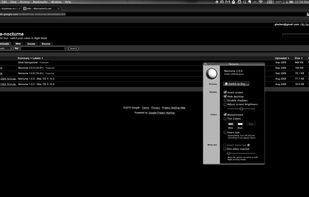
    Nocturne is simple app for switching a computer to night vision mode. It has a few tricks up its sleeve: color correction, window shadow toggling, and background removal.

    Cost / License

    • Free
    • Open Source

    Alerts

    • Discontinued

    Platforms

    • Mac
     
  2. EasyEyes icon
     6 likes

    Trouble Sleeping? Device screen too bright even on the lowest brightness setting? Want to give your phone a warm look instead of that eye straining blue gaze you see at night? EasyEyes is the solution. By changing your device's color temperature, EasyEyes reduces eye strain...

    Cost / License

    • Freemium
    • Proprietary

    Platforms

    • Android
     
  3. This advanced Windows app allows you to alter the screen shading according to the time of day, which is great if you work outside the normal hours, or if you need a lift in the afternoon. You can set the colour tints and your awake and sleep times.

    Cost / License

    • Paid
    • Proprietary

    Application type

    Platforms

    • Windows
     
  4. Setting the color temp of the screen really only requires about 40 lines of C (80 or so all inclusive). sct is a crude utility which does roughly that. I’d say exactly that, but some of the calculations aren’t actually exact.

    Cost / License

    • Free
    • Open Source

    Application type

    Platforms

    • Linux
     
  5. Night Screen icon
     1 like

    Night Screen is created for those people who spend a lot of time at night working.

    Limit your exposure to energy-efficient lighting before bed. In addition to the LED screens in your electronics, energy-efficient lighting emits a lot of blue light.

    Cost / License

    • Paid
    • Proprietary

    Application type

    Platforms

    • Mac
     
  6. The program is designed to adjust the brightness of monitors, laptop displays and other equipment. Runs on Windows 7+ and does not require installation. Works with all external monitors that have DDC/CI support, as well as with built-in displays of laptops, all-in-ones and...

    Cost / License

    • Free
    • Proprietary

    Application type

    Platforms

    • Windows
     
  7. Shady icon
     5 likes

    Shady puts a shade over your screen to help soothe your tired or dazzled eyes. You can use it to reduce your Mac's brightness far below the usual minimum, without any risk of damage to your screen.

    Cost / License

    • Free
    • Open Source

    Platforms

    • Mac
     
  8. Multiscreen Blank v2 is an easy-to-use utility that allows you to independently blank out or dim one or more monitors connected to your computer, as well as mirroring the contents of screens that are physically located in another room or turned off.

    Cost / License

    • Free
    • Proprietary

    Platforms

    • Windows
     
  9. SunshinePal icon
     1 like

    SunshinePal is your daily sunlight companion designed to help you track your exposure, set healthy goals, and reconnect with nature for better sleep and mood.

    Cost / License

    • Freemium
    • Proprietary

    Platforms

    • iPhone
    • Apple Watch
     
  10. Calise icon
     3 likes

    A Python program that calculates ambient brightness and sets screen's correct backlight using a camera.

    Cost / License

    Application type

    Platforms

    • Linux
     
  11. Brisync icon
     3 likes

    Synchronize your external monitor brightness with built-in display. Application reads current brightness of your built-in display and passes it to external monitors via DDC interface. You can adjust brightness by menu in system status bar.

    Cost / License

    • Free
    • Open Source (MIT)

    Platforms

    • Mac
     
You are at page 4 of DimScreen alternatives