Devario is a free, open-source Linux desktop built around Seafoam Labs projects. The Community edition is an independent Linux distribution built around the Aqueous Wayland compositor, Pearl desktop shell, and Shelly package manager. It can be built, installed, and used independently, without an organization account or management service.
What runs your desktop
- Aqueous · windows and displays: Handles windows, workspaces, displays, and input. Devario starts with floating windows; switch to tiling, scrolling, or other layouts when you want.
- Pearl · the desktop around them: Provides the bar, dock, launcher, notifications, control center, and settings. Pearl Greeter handles sign-in through greetd.
- Shelly · applications and updates: Installs, removes, and updates packages through a graphical interface and CLI. Devario uses Shelly’s native RLPM backend.
- Pori · persistent disk mounts: Sets up local disks to mount again after reboot using systemd mount units.
From live image to your own system
Boot the live image to try Aqueous and Pearl, then open Install Devario. The Calamares installer guides you through language, keyboard, disk layout, and a local user account. Installation copies the prepared live filesystem, so the base desktop can be installed offline.
The image targets x86-64-v3 hardware. Live media can boot through BIOS or UEFI, but installation requires 64-bit UEFI and uses systemd-boot. Btrfs is the default filesystem; ext4, XFS, and F2FS are also offered.
What is included:
- Devario ISO profile with BIOS and UEFI boot support
- Aqueous compositor with the Pearl shell and Devario desktop defaults
- greetd with Pearl Greeter for installed logins and an automatic Aqueous liveuser session on the live image
- Fish as the interactive login shell for the live user and new user accounts
- NetworkManager, PipeWire, Firefox, and common filesystem tools
- Matugen for generating theme colors
- Diagnostic tools: strace, ripgrep, vulkan-tools, mesa-utils, wayland-utils, usbutils, lsof, nvme-cli, and OpenBSD netcat (nc and netcat)
- Seafoam Labs Devario kernel targeting x86-64-v3 hardware
- NVIDIA open-driver support with PCI detection before the graphical greeter
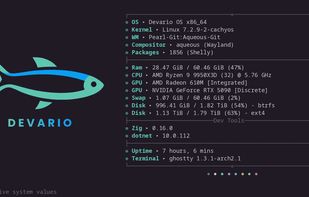
- Fastfetch on the first interactive shell in each terminal
- Calamares 3.4.2 built from Codeberg with Pearl appearance, including dark/light palettes and reduced-motion support
- Devario-packaged ckbcomp for Calamares keyboard previews on clean Arch builders
- Offline installation by unpacking the tested live SquashFS
- systemd-boot installation for 64-bit UEFI targets, with a FAT EFI partition at /boot
- Btrfs as the default filesystem, with Btrfs, XFS, and F2FS available
- Shelly-backed repository search, installation, removal, upgrades, and keyring initialization
- Persistent first-boot initialization of the Devario signing keyring






 Seafoam Labs

No comments or reviews, maybe you want to be first?