DayReplay icon
DayReplay icon

DayReplay

Automatic time tracking for Windows and macOS. Reconstructs your workday from app and browser activity — no timers, no screenshots, no keylogging.
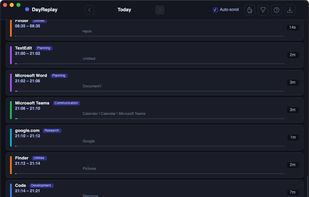
MacOS timeline

Cost / License

  • Subscription
  • Proprietary

Platforms

  • Windows
  • Mac
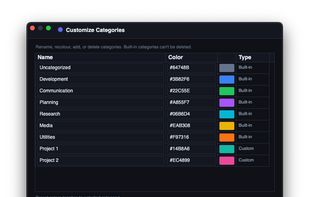
Mac custom category setup
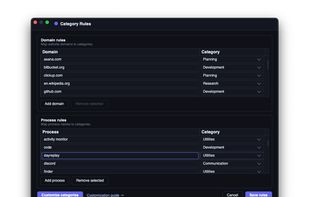
Mac category setup
+2
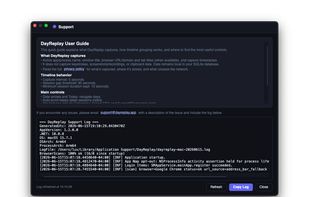
Mac support
0likes
0comments
0alternatives
0articles

Features

Properties

  1.  Privacy focused

Features

  1.  Works Offline
  2.  No Tracking
  3.  No registration required
  4.  Ad-free
  5.  Cross-Platform
  6.  Automatic time tracking
  7.  Local Storage
  8.  Desktop Application
  9.  Project Tracking

DayReplay News & Activities

Highlights All activities

Recent activities

DayReplay information

  • Developed by

    CA flagZaahr Inc.
  • Licensing

    Proprietary and Commercial product.
  • Pricing

    Subscription ranging between $5 and $7 per month.
  • Alternatives

    0 alternatives listed
  • Supported Languages

    • English

AlternativeTo Category

Office & Productivity
DayReplay was added to AlternativeTo by admin_zaahr on and this page was last updated .
No comments or reviews, maybe you want to be first?

What is DayReplay?

DayReplay is an automatic time tracker for Windows and macOS that reconstructs your workday from app and browser activity. It runs passively in the background — no timers to start, no screenshots taken, no keystrokes logged.

Activity data is stored locally on the device. There is no cloud sync, no account required, and no telemetry. The app captures app names, window titles, and active browser tabs (Chrome, Edge, Firefox, and Safari on macOS; Chrome and Edge on Windows). Idle time is detected automatically and the tracker pauses when the user steps away from the computer.

DayReplay is aimed at freelancers, consultants, agencies, and knowledge workers who need accurate time records for billing or self-review without the privacy overhead of screenshot-based monitoring tools. Captured activity can be categorized by app and project for billable-hours reporting.

Both the Windows and macOS clients are native applications — WPF on Windows, Avalonia on macOS, both built on .NET. Installers are code-signed (Authenticode on Windows, Developer ID + notarized on macOS) and the apps ship with automatic updates delivered over a signed manifest.

Official Links