




Daydeck
1 like
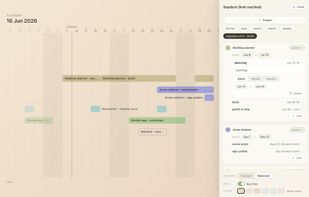
Every project as a bar on one timeline, drawn as your Mac wallpaper behind the icons. No subtasks, no calendar sync, no account, no cloud.

Cost / License
- Freemium (Pay once)
- Proprietary
Application type
Platforms
- Mac


Features
Daydeck News & Activities
Highlights All activities
Recent activities
- Tomislav-Krnic A comment was removed from Daydeck
- Tomislav-Krnic added AI Project Management as a feature to Daydeck
- Tomislav-Krnic added Calendar View as a feature to Daydeck
- Tomislav-Krnic added Works Offline as a feature to Daydeck
- Tomislav-Krnic added Privacy focused as a feature to Daydeck
- Tomislav-Krnic added Distraction-free as a feature to Daydeck
- Tomislav-Krnic liked Daydeck
- Tomislav-Krnic added Daydeck
- Tomislav-Krnic added Daydeck as alternative to Wallcalendar, WallCal - Desktop Background Calendar, Blotter and John's Background Switcher
Daydeck information
Developed by
KrnicLicensing
Proprietary and Freemium product.Pricing
One time purchase (perpetual license) that costs up to $9 + free version with limited functionality.Alternatives
14 alternatives listedBadge
Get an embeddable badge for DaydeckSupported Languages


No comments or reviews, maybe you want to be first?