

DataBlur
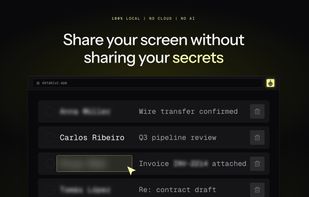
Blur or redact sensitive data on your screen in one click — before you share, record or screenshot. Auto-detects emails, cards, API keys. 100% local.
Cost / License
- Freemium (Pay once or Subscription)
- Proprietary
Application type
Platforms
- Google Chrome
- Mozilla Firefox
- Microsoft Edge
Features
Properties
- Lightweight
- Privacy focused
Features
- Ad-free
- Screen Sharing
- No registration required
- Dark Mode
- Works Offline
- No Tracking
- Browser extension
DataBlur News & Activities
Recent activities
- kosta_zanin added DataBlur
kosta_zanin added DataBlur as alternative to ZeroBlur, Blurweb and ContextBlur
kosta_zanin added DataBlur as alternative to BlurData, Redacted, GNOME Obfuscate and BlurOut
DataBlur information
What is DataBlur?
DataBlur is a browser extension that hides sensitive information on any web page before it reaches a screen share, a recording or a screenshot. Click an element to blur it, or let auto-detect find emails, phone numbers, card numbers, API keys and other identifiers and blur them for you. Three styles — blur, redact, transparent — a blur list with regex, "blur similar" for whole columns and lists, and per-site persistence so a page stays blurred on revisit.
Everything runs on your device: no cloud, no AI, no account. When detection fails, DataBlur blurs more, not less — the default state is protected. Every way of hiding data is free forever; DataBlur Pro adds saved profiles and removes the badge on auto-applied blurs.
Built for people who show real screens: agencies demoing a client's dashboard, support engineers sharing a customer account, freelancers recording walkthroughs, teams streaming internal tools.