cStatus icon
cStatus icon

cStatus

 5 likes

A free, reliable tool to scan and monitor networks.
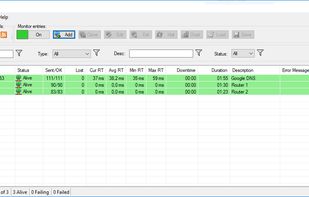
Main monitoring

Cost / License

  • Free
  • Proprietary

Application type

Since

  • Since 2020

Platforms

  • Windows
5likes
0articles
Save

Features

Properties

Features

Highlights All activities

cStatus News & Activities

Recent activities

cStatus information

Our users have written 2 comments and reviews about cStatus, and it has gotten 5 likes.

cStatus was added to AlternativeTo by pandalovfree on and this page was last updated .

Comments and Reviews

   
timka890
0

Free, very simple and intuitive, fast. Moreover, it can record logs, so if you use a unstable pc (or pc connected to unstable power source) to host this software, you won`t to worry about losing information

Review from a new or low-activity account — shown here, but not counted in the app rating.
BaronVonButthole
2

I find it surprising how few utilities offer what cStatus does, which is the ability to check any number of network resources using a variety of methods and options (ICMP, TCP, etc.) and display the results in a simple, concise format.

This little utility has an impressive level of configurability and notification options. I leave it running all the time.

It has no big, unnecessary installer, and it's updated often. It doesn't change anything on your system (outside of its own installation directory). There's no reason not to give it a try.

What is cStatus?

cStatus - A free, reliable tool to scan and monitor networks.

cStatus has two main functions: To monitor and to scan a network.

Features:

  • ICMP ping monitoring

  • TCP port monitoring (TCP ping)

  • Statistical information

  • Charting

  • Simple alarm system

  • Allows opening a host with several tools: RDP, HTTP, FTP, etc.

  • Host display filtering system

  • An IP scanner:

  • MAC information and MAC vendor detection

  • Hostname retrieval with the possibility to change DNS query server

  • Port scanner

  • Allows to add to the monitoring one of the IPs that has been detected

  • Host display filtering system

  • A graphical Trace Route:

  • Shows the route (hops) through the network between your computer and a specified destination computer.

  • Calculates and displays the amount of time each hop took

  • Hostname retrieval with the possibility to change DNS query server

  • Allows to add to the monitoring one of the IPs that has been detected