Copywhiz Alternatives

Copywhiz is described as 'Crazy & Smart File Copy Program for Windows that lets you have more control when copying files in Windows. Also automate complex tasks & save hours' and is a popular File Copy utility in the backup & sync category. There are more than 50 alternatives to Copywhiz for a variety of platforms, including Windows, Mac, Linux, PortableApps.com and Web-based apps. The best Copywhiz alternative is TeraCopy, which is free. Other great apps like Copywhiz are FastCopy, CrashPlan, Ultracopier and Déjà Dup.

Copy a direct link to this comment to your clipboard
Copywhiz alternatives page was last updated

Alternatives list

  1. Lazy Mirror icon
     1 like
    Copy a direct link to this comment to your clipboard

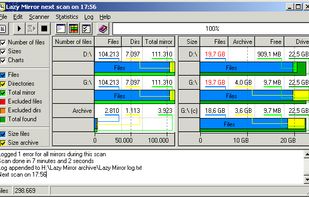
    Lazy Mirror copies changes made to one or more sources and archives the previous versions of the copied files. If all storage allocated to a destination has been consumed, the oldest archives will be disposed off to make room for new files.

    Cost / License

    • Free
    • Proprietary

    Platforms

    • Windows
     
  2. Copy a direct link to this comment to your clipboard

    Leo Backup is a program designed for simple backup needs and aimed to keep your data in different locations automatically, applying the compression, encryption and reporting options.

    Cost / License

    • Freemium
    • Proprietary

    Platforms

    • Windows
     
  3. Sync Folders icon
     2 likes
    Copy a direct link to this comment to your clipboard

    The Sync Folders Pro synchronizes any number of folders on the fly at the same time when there are changes, or connecting external drives at a set time or manually. The app sync folders with or without filter for folder names and / or file names.?

    Cost / License

    • Freemium
    • Proprietary

    Platforms

    • Mac
     
  4. Copy a direct link to this comment to your clipboard

    CopyFolder 1.4 provides many options for copying the contents of one folder to another. Subfolders can be filtered by paths, names or patterns. File names can be filtered by patterns. Files can be filtered by paths, dates, sizes or attributes.

    Cost / License

    • Paid
    • Proprietary

    Application type

    Platforms

    • Windows
     
  5.  1 like
    Copy a direct link to this comment to your clipboard

    n2ncopy is a simple utility providing single/multi-source and single/multi-destination copy functions for Windows operating systems.

    Cost / License

    • Free
    • Open Source

    Platforms

    • Windows

     
  6. WinRoboCopy icon
     3 likes
    Copy a direct link to this comment to your clipboard

    WinRoboCopy is a GUI front end for Robocopy a command line file copy utility for Windows.

    Cost / License

    • Free
    • Proprietary

    Application type

    Platforms

    • Windows
    • Robocopy
     
  7. Copy a direct link to this comment to your clipboard

    BitReplica is a tool for backing up files stored on your Windows PC. It protects your photos, music, documents and any other data from being lost due to a hard drive crash, virus attack or accidental deletion.

    Cost / License

    • Paid
    • Proprietary

    Platforms

    • Windows
     
  8. FF Copy icon
     3 likes
    Copy a direct link to this comment to your clipboard

    FF Copy is a file queue transfer manager for windows networks. It allows you to add files to a copy/move transfer queue which will be downloaded one after another. This increases speed in comparison to transferring multiple files / folders at the same time.

    9 FF Copy alternatives

    Cost / License

    • Free
    • Proprietary

    Application type

    Alerts

    • Discontinued

    Platforms

    • Windows
     
  9. Backup Maker icon
     5 likes
    Copy a direct link to this comment to your clipboard

    BackUp Maker is a professional, user-friendly tool for creating automated data backups. Configure once and let it save files based on time, intervals, or system events. Use partial backups, advanced filters, and multiple generations to protect your data efficiently and securely.

    Cost / License

    • Free Personal
    • Proprietary

    Application type

    Platforms

    • Windows
     
  10. TrayBackup icon
     1 like
    Copy a direct link to this comment to your clipboard

    TrayBackup is a program which helps to create a backup of directories and files. It allows the inclusion or exclusion of specific file types and to backup to a CD, DVD or a server.

    Cost / License

    • Free Personal
    • Proprietary

    Platforms

    • Windows
     
  11. Rebel Backup icon
     2 likes
    Copy a direct link to this comment to your clipboard

    Rebel Backup lets you make encrypted backups of your important files offsite to Dropbox or Google Drive. You control what and how often is backed up, and the encryption happens locally on your computer.

    Cost / License

    • Pay once
    • Proprietary

    Platforms

    • Mac
    • Windows
    • Google Drive
    • Dropbox
     
  12. Copy a direct link to this comment to your clipboard

    Back up files and folders so that you can configure the backup process once and then forget about it - by saving settings for a scheduled backup. Get flexibility in backing up different folders in different ways. Keep multiple backup versions.

    Cost / License

    • Pay once
    • Proprietary

    Platforms

    • Windows
     
You are at page 5 of Copywhiz alternatives