





Control My Mac
4 likes
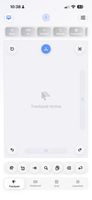
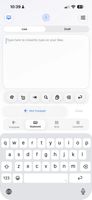
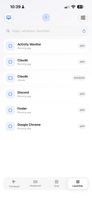
Control My Mac turns your iPhone or iPad into a trackpad, keyboard and set of shortcut buttons for your Mac, built so everything works with one finger.


+1

Cost / License
- Freemium
- Proprietary
 EU
EUPlatforms
- Mac
- iPhone
- iPad

Features
Control My Mac News & Activities
Highlights All activities
Recent activities
This app has all the features one might need and more and it works really well.
- techtawn added Mobile Remote Control as a feature to Control My Mac
- techtawn liked Control My Mac
- Damjan-Zdolc liked Control My Mac
- Vanda-Skoic liked Control My Mac
- sebs_tech liked Control My Mac
- sebs_tech added Control My Mac
 sebs_tech added Control My Mac as alternative to Remote Mouse, Unified Remote, iKontroller, FullControl and 6 more

Control My Mac information
Developed by
 Sebastian Skoic
 Licensing
Proprietary and Freemium product.Pricing
free version with limited functionality.Alternatives
10 alternatives listedBadge
Get an embeddable badge for Control My MacSupported Languages


Comments and Reviews
This app has all the features one might need and more and it works really well.