


Coherence X
14 likes
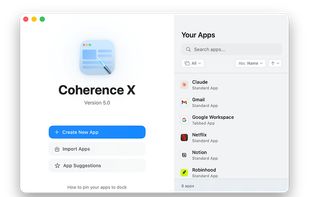
Transform websites into standalone Mac apps with custom icons and names, select between major browser engines, add apps to the Dock or desktop, run in full screen, organize workflow, receive notifications, and keep web activities separated on macOS.

Cost / License
- Freemium (Pay once)
- Proprietary
Platforms
- Mac


Features
Highlights All activities
Coherence X News & Activities
Recent News
- Paul published news article about Coherence X
- Fla published news article about Coherence X
- Paul published news article about Coherence X


Recent activities
 Croco Loki added Coherence X as alternative to Pake and WebToApp
- pepenope liked Coherence X
- Paul updated Coherence X


Developed by
 BZG
BZG Licensing
Proprietary and Freemium product.Pricing
One time purchase (perpetual license) ranging between $40 and $100 + free version with limited functionality.Alternatives
18 alternatives listedNews
3 news article related to Coherence XBadge
Get an embeddable badge for Coherence XSupported Languages


No comments or reviews, maybe you want to be first?