
CodeB Desktop Switcher icon

CodeB Desktop Switcher

Prevent data exposure during Teams, Zoom or Google Meet screen shares. One hotkey swaps your desktop—files, icon positions and per-monitor wallpapers—to a clean profile, then restores it. Sensitive files are parked, never deleted or exposed.
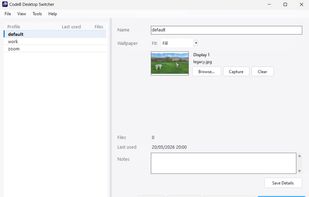
CodeB Desktop Switcher screenshot 1

Cost / License

  • Subscription
  • Proprietary

Platforms

  • Windows
1like
0comments
0articles

Features

CodeB Desktop Switcher News & Activities

Highlights All activities

Recent activities

CodeB Desktop Switcher information

  • Developed by

    Unknown
  • Licensing

    Proprietary and Commercial product.
  • Pricing

    Subscription ranging between $1 and $2 per month.
  • Alternatives

    4 alternatives listed
  • Supported Languages

    • English
CodeB Desktop Switcher was added to AlternativeTo by aloaha on and this page was last updated .
No comments or reviews, maybe you want to be first?

What is CodeB Desktop Switcher?

Data exposure prevention, not desk-tidying

You're about to share your screen with a client, an auditor, a vendor or a patient family member. Your desktop holds material the other party should not see — a contract draft, a clinical case file, a network schematic, an unredacted CSV. Without Desktop Switcher, you have thirty seconds and forty-seven files to move. With it, one keystroke pulls those files off the desktop into a private profile before the screen share ever begins, and a second keystroke puts them back when the call is over.

A complete desktop swap, not an overlay

Other tools group your icons or hide the desktop. Desktop Switcher physically moves files in and out, restores icon positions exactly as you left them, and applies a different wallpaper to each monitor. When a profile is inactive, its files genuinely aren't on the desktop — they're parked in your AppData folder until you switch back.

What's in the box

  • Real file isolation. Files of inactive profiles live in AppData, not on the desktop. The icons aren't hidden — they're gone, until you switch back.
  • Per-monitor wallpapers with the full set of fit modes — Fill, Fit, Stretch, Tile, Center, Span. All applied atomically when you switch.
  • Icon layouts preserved. Where each shortcut sits on the desktop is part of the profile. Switch back later and every icon lands exactly where you left it.
  • Global hotkeys. Bind Ctrl+Alt+1 to your work profile, Ctrl+Alt+2 to your clean-for-clients profile. Works from anywhere in Windows, no mouse required.
  • Tray boss-key. Configure the tray icon to switch to a designated profile on double-click. The fastest possible panic clean for an unexpected call.
  • Command-line interface. CodeBDesktopSwitcher.exe --switch "Clean Demo" — wire it into scheduled tasks, batch files, or Stream Deck buttons.
  • Hide-all-icons toggle. Don't want to build a profile? One menu item or hotkey hides every desktop icon entirely, until you toggle it back.
  • Export & import. Profiles save to a single .cbds file — effectively a zip archive, so it diffs and version-controls like any other text bundle. Carry your setup to another machine, share a sanitised demo desktop with a colleague, or back up your config.
  • Portable and lightweight. One executable, under 1 MB. No installer, no services, no admin rights, no traces. Drop it in any folder and run; delete the folder to uninstall.

CodeB Desktop Switcher Videos