
ClipFlow Pro icon
ClipFlow Pro icon

ClipFlow Pro

Free, open-source clipboard history manager for GNOME Shell 45–51 on Wayland and X11, with a searchable history window, pinned clips and local-only storage.
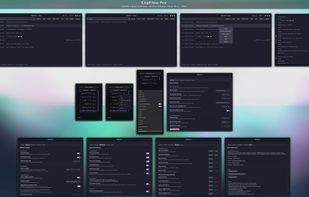
ClipFlow Pro overview: history window, panel menus and settings

Cost / License

Platforms

  • Linux  Requires the GNOME desktop (GNOME Shell 45–51), Wayland or X11
0likes
0articles
Save

Features

Properties

Features

Highlights All activities

ClipFlow Pro News & Activities

Recent activities

ClipFlow Pro information

AlternativeTo Categories

Office & Productivity, OS & Utilities

GitHub repository

  •  5 Stars
  •  0 Forks
  •  0 Open Issues
  •   Updated  
View on GitHub

Popular alternatives

View all
ClipFlow Pro was added to AlternativeTo by Nick Otmazgin on and this page was last updated .

No comments or reviews, maybe you want to be first?

What is ClipFlow Pro?

ClipFlow Pro is a free, open-source (GPL-3.0) clipboard history manager for the GNOME desktop on Linux. It runs as a GNOME Shell extension on GNOME 45 to 51, on both Wayland and X11/Xorg sessions.

It sits in the top bar and remembers what you copy. Left-click the icon to open a searchable history window: type to filter, double-click an entry to insert it into the app you were using, and right-click to copy, pin, star or delete. Right-click the icon for a quick menu of your recent clips, and use the panel menu's Actions for export, import, purging duplicates and pausing monitoring.

Privacy comes first. History is stored only on your computer, in files only you can read, and nothing is sent anywhere. Passwords copied from KeePassXC and other password managers that mark them as secret are not saved (tested with KeePassXC 2.7.6), and common API tokens and password-like text are filtered too. You can pause monitoring, exclude apps, and clear history automatically on lock or logout.

Other features: pinned and starred clips in their own sections, content-type detection for links, email addresses, file paths, code and JSON, full support for emoji, symbols and right-to-left languages, export and import of your history, optional keyboard shortcuts, and Reset to Defaults in Settings. Releases are signed and come with a build-provenance attestation, so you can check that a download was built from the public repository.

ClipFlow Pro Videos
