What it is
Cleartable is a task manager, habit tracker and day planner in one, for people who want their tools to be quiet. Instead of asking you to tag, sort and schedule everything by hand, it uses AI for the clerical work and leaves the decisions to you.
How the AI helps
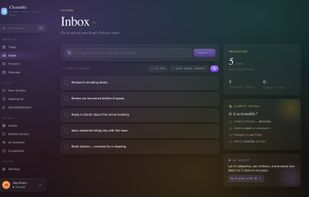
Smart capture: type a task in natural language; the AI extracts the date, the project, the context and the list, and flags low-confidence guesses instead of guessing silently.
Inbox processing: one click clarifies a pile of captured items into next actions, projects, waiting-for and someday.
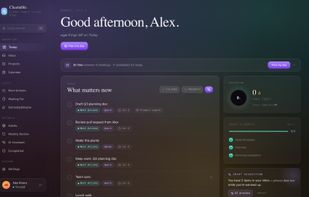
Plan my day: builds a time-blocked plan from your tasks, your energy and your real Google Calendar, never booking over a meeting, and shows you what it pushed to tomorrow. Every block is a proposal until you accept.
Weekly review: a guided four-step ritual with an optional AI read on what went stale.
Reference lists: paste a URL and the AI turns it into a structured entry (books, places, gear, anything).
Everything else
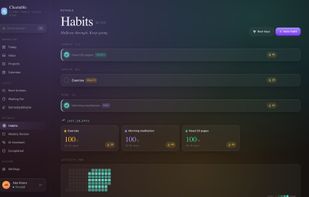
Projects with next actions, contexts, defer/start dates, recurring tasks with flexible schedules, Today view with visible priority, month/week/day calendar with drag-and-drop time blocking synced to a dedicated "Cleartable" Google calendar, habits with streaks, skips and rest days, JSON/CSV export, GDPR-grade account deletion.
Who it's for
People juggling work and life in one head: freelancers, small-team leads, students, anyone who has tried Todoist or TickTick and wanted a planner, or tried Motion and wanted calm and a lower price.
Pricing
Free forever: 8 projects, 1 list, 3 habits, daily AI allowance, 3 AI-planned days a month. Pro: unlimited everything plus AI planning every day, $4/month or $36/year. Founder plan: $30/year locked in for the first 30 subscribers, refundable within 30 days. Prices include VAT. Payments by Paddle.
Privacy
Tasks are stored privately, never sold, never used to train AI models. AI providers are called on demand only. Google Calendar access is optional and revocable in one click.
Platform
Web app that works in any browser; installable as a PWA on iOS, Android, macOS and Windows.






 EU
EU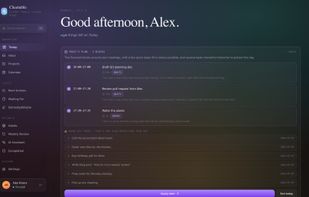




 Jan Bambas
No comments or reviews, maybe you want to be first?