





Chronofix
1 like
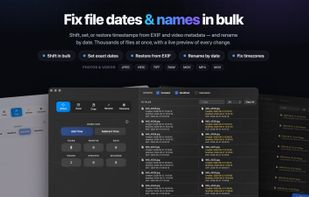
Fix photo and video dates, correct camera clock offsets, copy timestamps between metadata fields, and batch-rename thousands of files by date — with a live preview of every change.

Cost / License
- Freemium (Pay once)
- Proprietary
Application type
Platforms
- Mac


Features
Chronofix News & Activities
Highlights All activities
Recent activities
 Jose Carlos Maciel added Chronofix as alternative to MetaRemove
- woosnix liked Chronofix
- woosnix added Chronofix
 woosnix added Chronofix as alternative to A Better File Attributes, ExifCleaner, ExifTool, ExifToolGUI and 4 more


Chronofix information
Developed by
Tom VogtenLicensing
Proprietary and Freemium product.Pricing
One time purchase (perpetual license) that costs $10 + free version with limited functionality.Alternatives
9 alternatives listedBadge
Get an embeddable badge for ChronofixSupported Languages


No comments or reviews, maybe you want to be first?