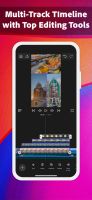
CapCut Alternatives
CapCut provides a free video editor with AI tools like automatic captions, text-to-speech, and background removal, plus templates, effects, and royalty-free music. Users appreciate its mobile-friendly approach that makes trimming and merging straightforward, though some report more features being pushed behind paywalls recently and express privacy concerns related to Bytedance.
Kdenlive is the top-ranked alternative and offers open-source multi-track editing with AI subtitle generation for serious desktop workflows. Shotcut ranks second as an open-source option with multi-format timelines and frame-accurate seeking across platforms. Omniclip positions itself as fully free and open-source in the browser, targeting users tired of paying to unlock editor features.
Camtasia includes built-in screen capture plus editing, making it better suited for tutorials and demos that start with recording. The landscape spans from mobile-first social editors to pro desktop suites and open-source tools.
filter to find the best alternatives
Open source alternatives like Kdenlive, Shotcut, and OpenShot provide transparent licensing and full desktop timelines without relying on CapCut. Linux users have native options in Kdenlive, DaVinci Resolve, and Shotcut, giving desktop editors alternatives beyond mobile-centric workflows.
Web-based editors like Clipchamp, Omniclip, and Mastershot run in browsers, helpful when you can't install software on work or school machines. For privacy-focused users, Omniclip and OpenCut offer self-hosting options on your own infrastructure. Android users have mobile-first options in InShot, YouTube Create, and LightCut with effects, music, and captions for creators who rarely touch desktop editors. Windows-only desktop suites like VEGAS Pro, Pinnacle Studio, and Corel VideoStudio target users who want dedicated pro-style desktop workflows exclusively on Windows systems.
Alternatives list

Cost / License
- Free
- Open Source (GPL-3.0)
Application type
Platforms
- Linux
- Android
- F-Droid

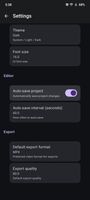
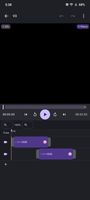


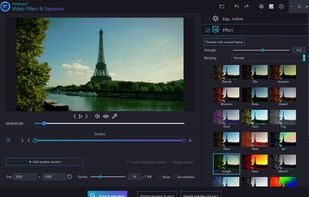
Ashampoo Video Filters & Exposure is intuitive video editing that adds style to any footage! From plain and simple to artful, the program offers users multiple functions to adjust exposure and colors to their needs.
Cost / License
- Paid
- Proprietary
Application type
Platforms
- Windows
 Germany
 EU
EU




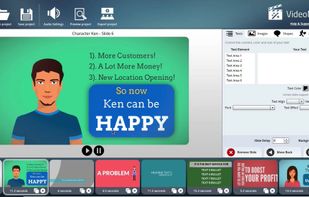
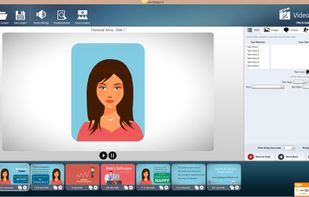
Game changing video creating software. Fast & Easy Video Creation Like Never Before! Sales Videos, Whiteboard, Explainer, 3D, Photo Slideshows, Lower Third Styles & More! No Restrictions On Your Created Videos! Works Natively on both Windows & Mac! Videos Are Beautif.
Cost / License
- Paid
- Proprietary
Application type
Platforms
- Mac
- Windows


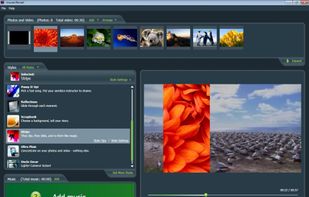
muvee pioneered automatic movie making with the launch of muvee autoProducer in 2001. Since then, we have put in over 100 person-years of R&D and been granted 20 patents.
Cost / License
- Paid
- Proprietary
Application type
Platforms
- Mac
- Windows
 Singapore


Lomotif is the video app of choice for millions around the world. It’s the simplest editor around, and allows you to achieve amazing edits instantly!
Cost / License
- Freemium
- Proprietary
Application type
Platforms
- Android
- iPhone
- iPad
- Singapore





Cost / License
- Freemium
- Proprietary
Application type
Platforms
- Android
- iPhone
- iPad
- Android Tablet




AI Video Editor, AI Photo Editor, AI Reel Maker, Text to Video, AI Video Generator &AI Image Generator AI Caption, Subtitle Generator & More.
Cost / License
- Freemium
- Proprietary
Application type
Platforms
- Android
- iPhone
- iPad
- Android Tablet
- Online
 United States




 14 ClipKit alternatives
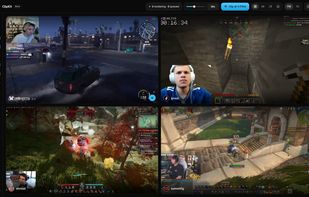
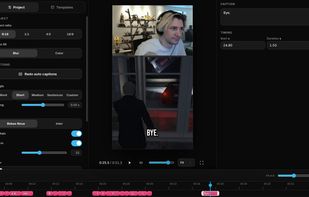
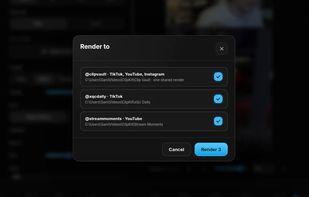
Capture Twitch and Kick livestream moments, VODs, or local videos, then edit vertical clips with automatic captions, facecam layouts, media overlays, templates, and account-specific background rendering.
Cost / License
- Free
- Proprietary
Application type
Platforms
- Windows
- Linux
- United States
 +1
+1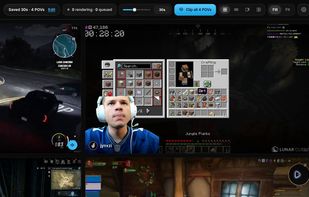


With Videdit, you can edit your videos in a lot of ways and make them more awesome and different.
Cost / License
- Freemium
- Proprietary
Application type
Platforms
- iPhone
- iPad





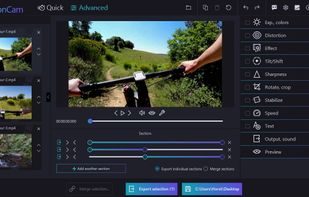
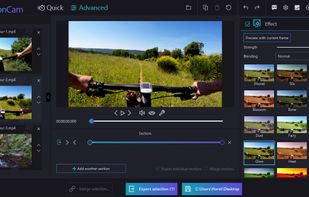
Ashampoo ActionCam features next-gen video stabilization! Even handheld shots taken in full motion become more steady for a realistic, smooth viewing experience - at max resolution, naturally!.
Cost / License
- Paid
- Proprietary
Application type
Platforms
- Windows
- Germany
- EU


Project Violet is a high performance, iOS-native video editing app written from the ground up for iPhone, iPad, and Vision Pro.
Cost / License
- Free
- Proprietary
Application type
Platforms
- iPhone
- iPad
- United States