CabinetPass icon
CabinetPass icon

CabinetPass

 Like

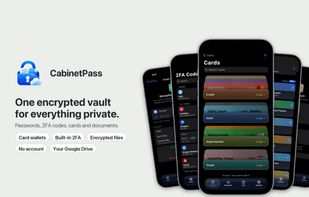
Account-free password manager that encrypts logins, passkeys, cards, documents and SSH keys on-device. It pairs logins with live 2FA codes, generates passwords, stores encrypted file attachments, previews PDFs and photos, and optionally syncs through cloud drives.
CabinetPass screenshot 1

Cost / License

  • Freemium (Pay once or Subscription)
  • Proprietary

Application type

Since

  • New

Platforms

  • Mac
  • Android
  • iPhone
  • iPad
  • Google Chrome
  • Mozilla Firefox
0likes
0articles
Save

Features

Properties

Features

Highlights All activities

CabinetPass News & Activities

Recent activities

CabinetPass information

  • Developed by

    IN flagGovardhan Chitrada
  • Licensing

    Proprietary and Freemium product.
  • Pricing

    One time purchase ranging between $25 and $50, and / or subscription that costs $4 per month + free version with limited functionality.
  • Alternatives

    45 alternatives listed
  • Badge

    Get an embeddable badge for CabinetPass
  • Supported Languages

    • English

AlternativeTo Category

Security & Privacy
CabinetPass was added to AlternativeTo by govardhan-chitrada on and this page was last updated .

No comments or reviews, maybe you want to be first?

Official Links

What is CabinetPass?

CabinetPass is a password manager and encrypted personal vault for iPhone, iPad, Mac and Android, with companion extensions for Chrome and Firefox. It stores logins, passkeys, two-factor codes, payment cards, bank accounts, identities, Wi-Fi networks, secure notes, SSH keys and private documents in one place, and works without creating an account: you only set a master password.

Everything is encrypted on the device before it is saved, using Argon2id for key derivation and AES-256-GCM for the vault and every attached file. Documents such as passport scans, contracts or PDFs can be attached to any item, scanned straight from the camera and previewed inside the app. A built-in authenticator shows live TOTP codes next to the login they protect, and a password health check flags weak, reused and old passwords, with an optional breach lookup that only sends a short hash fragment.

Sync is optional and runs through the user's own cloud storage (Google Drive, with iCloud Drive, Dropbox, OneDrive and Box on paid plans), so the vault never sits on a CabinetPass server. Other features include autofill, password and passphrase generation, Markdown secure notes, Wi-Fi sharing via QR code, encrypted backups, import from Apple Passwords or CSV files, and an SSH terminal with SFTP browser.