





BlinkWrite
Like
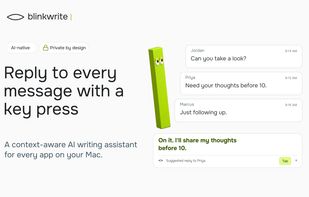
Private Mac writing assistant that reads screen context to draft replies, complete sentences, correct grammar, and rephrase text in your tone. Suggestions work across apps and websites, support 36 languages, and can be accepted with Tab.

Cost / License
- Subscription
- Proprietary
Application typeApplication types
Platforms
- Mac


Features
BlinkWrite News & Activities
Highlights All activities
Recent activities
- Danilo_Venom updated BlinkWrite
- Diana-Dobra added BlinkWrite
 Diana-Dobra added BlinkWrite as alternative to Grammarly, LanguageTool, ProWritingAid and Slick Write


BlinkWrite information
Developed by
 BlinkWrite
 Licensing
Proprietary and Commercial product.Pricing
Subscription ranging between $15 and $30 per month.Alternatives
33 alternatives listedBadge
Get an embeddable badge for BlinkWriteSupported Languages


No comments or reviews, maybe you want to be first?