


Bitwarden Send
A secure and ephemeral way to transmit sensitive information to anyone. Sends can include plaintext or file attachments up to 100 MB.

Cost / License
- Freemium (Pay once)
- Open Source
Platforms
- Mac
- Windows
- Linux
- Android
- iPhone
- Android Tablet
- iPad
- Microsoft Edge
- Google Chrome
- Safari
- Opera
- Brave
- Firefox


Features
- End-to-End Encryption
Bitwarden Send News & Activities
Recent News
- Fla published news article about Bitwarden Send
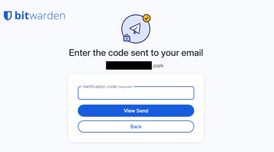 Bitwarden Send improves security with email verification for paid users
Bitwarden Send has introduced email verification for paid users, allowing them to restrict link acc...
- IanDorfman published news article about Bitwarden Send
 Bitwarden launches Send secure text and file share service
The developers behind the Bitwarden login and password storage service just launched a new text and...


Recent activities
- Aerosol liked Bitwarden Send
 taha-labrahimi added Bitwarden Send as alternative to safedrop.ma
 ludyankas added Bitwarden Send as alternative to LudyServer
 InzideTech added Bitwarden Send as alternative to Vault-Sync
- afischzh liked Bitwarden Send
 BenMikhaeli added Bitwarden Send as alternative to Ravero
 sn3ll added Bitwarden Send as alternative to AnySend.to
 TwoPotatoes added Bitwarden Send as alternative to Two Potatoes
 davidrodriguezpozo added Bitwarden Send as alternative to NovoSend
 oldany added Bitwarden Send as alternative to DropMind


Featured in Lists

The ultimate list of apps/services for better Security, Privacy & Anonymity; Defense against Surveillance. What …
A list with 10 apps by RemovedUser without a description.
What is Bitwarden Send?
Bitwarden Send is a lightweight utility used to share information with another person for a limited period of time. Bitwarden users can easily transmit a file or text, and rest easy knowing the sent information is protected with end-to-end encryption, and will not live forever. Users choose an expiration date for the Send link, after which it no longer works to access the information.
This new feature is available on all Bitwarden clients: Web Vault, mobile, browser extensions, and CLI, meaning users will always have a secure way to share sensitive information temporarily. The Command Line Interface also provides a wide range of programmatic options to integrate with existing workflows.
There are dozens of use cases for this type of secure direct sharing:
Passwords Financial documents Identification documents Legal documents Client data Code And more
Send emphasizes best practices for sharing sensitive information and empowers users to take responsibility for protecting their data online.
Transmit securely: Information shared is end-to-end AES-256 bit encrypted and can be 100% hidden from third-party applications with the addition of a password.
Limit exposure: Users can set expiration dates and access limits for shared information, reducing the risk of unintentional data leaks.
Share text and files: Bitwarden Premium users can use Send to share any type of information, like passwords, documents, credentials, and more. Bitwarden users with a free account have access to Send for text information only.
Maintain confidentiality: Avoid exposing shared information to intermediary systems or people. The Send is created and only accessible via a secure link. It can be password protected for added security.
Receive text and files: A Bitwarden Send secure link can be generated and sent to any online user, whether the link recipient is an existing Bitwarden user or not.
Bitwarden Send Videos
Bitwarden Send information
Developed by
 Bitwarden
 Licensing
Open Source and Freemium product.Pricing
One time purchase (perpetual license) ranging between $1 and $3 + free version with limited functionality.Written in
Rating
Average rating of 4.8Alternatives
118 alternatives listedSupported Languages
- English

AlternativeTo Categories
File Sharing, Security & PrivacyGitHub repository
- 18,328 Stars
- 1,558 Forks
- 197 Open Issues
- Updated


Comments and Reviews
Great alternative to the now defunct FireFox Send. Only downside is there is a 100MB limit, to sending files but apart from that, I have no other issues.
Bitwarden is my go-to password manager and I welcome new features. That said, this is not the most generous encrypted file sharing service out there by a long shot, so my rating is more in acknowledgment of Bitwarden as a whole package.