


Bitwarden
Open-source password manager using AES-256 and PBKDF2 SHA-256 encryption. Securely store and sync logins across iOS, Android, Windows, and more without service provider access.

Cost / License
- Freemium (Subscription)
- Open Source
Application types
Platforms
- Mac
- Windows
- Linux
- Online
- Android
- iPhone
- Android Tablet
- iPad
- Self-Hosted
- Apple Watch
- Snapcraft
- Microsoft Edge
- Vivaldi
- Google Chrome
- Flathub
- Microsoft SQL Server
- Tor Browser
- Safari
- F-Droid
- Software as a Service (SaaS)
- Flatpak
- Cloudron
- Docker
- Opera
- Chocolatey
- Mono
- Brave
- Mozilla Firefox
- AppImage


Features
Properties
- Security-focused
- Privacy focused
- Lightweight
Features
- Cloud Sync
- Browser integration
- Password encryption
- Two-factor Authentication
- Autofill
- Password Generator
 Android Sync
- Dark Mode
- Ad-free
- End-to-End Encryption
- Multiplatform Export
- Password Sharing
- Works Offline
- Real-time sync
- Web-Based
- FIDO U2F (2FA) support
- Password Migration
- Biometric Authentication
- Cross browser support
- Team Collaboration
- Encrypted Notes
- Protected by Password
- No Tracking
- Encrypted Backup
- Multi-Factor Authentication (MFA)
- Multiple Account support
- Import CSV Data
- Passkey Support
- AES-256 Encryption
- Time-based One-time Password
- Unlimited storage
- Password Recovery
- Portable
- Command line interface
- Team accounts
- Self-hosted

- AES Encryption
- On-premises software
- Source code history
- Microsoft Edge extension
- Multiple languages
- Automatic Form-Filler
- Opera extension
- Integrated Password Generator
- SHA256
- Flatpak
 Support for Docker
- Srt
- Passwords stored in text-file
- Easy Measurements

Bitwarden News & Activities
Recent News
- Fla published news article about Bitwarden Send
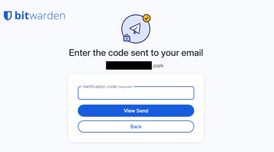 Bitwarden Send improves security with email verification for paid users
Bitwarden Send has introduced email verification for paid users, allowing them to restrict link acc...
- Maoholguin published news article about Bitwarden
 Researchers reveal flaws in several major Cloud Password Managers that could expose vaults
Researchers from ETH Zurich and Università della Svizzera italiana disclosed 27 vulnerabilities acr...
- POX published news article about Bitwarden
 Bitwarden enhances Premium and Families plans with more security features & raises prices
Bitwarden has upgraded its Premium and Families plans with a set of new features and updated pricin...


Recent activities
- skill_walnut liked Bitwarden
 K0RR added Bitwarden as alternative to Locker Password Manager
 POX added Bitwarden as alternative to ExpressKeys
- MaxtronElNoob liked Bitwarden


Featured in Lists

For many the Internet is Google: Search, mail, videos, web browser, cloud services, mobile OS, etc. – Google is the …

## WHAT IS F-DROID ? F-Droid is an awesome app repository for FOSS (Free & Open Source Software) android apps. …

This is the apps for Windows 11 that I would recommend to anyone who just got a PC ! The same list for
What is Bitwarden?
Bitwarden is the easiest and safest way to store all of your logins and passwords while conveniently keeping them synced between all of your devices.
Password theft is a serious problem. The websites and apps that you use are under attack every day. Security breaches occur and your passwords are stolen. When you reuse the same passwords across apps and websites hackers can easily access your email, bank, and other important accounts.
Security experts recommend that you use a different, randomly generated password for every account that you create. But how do you manage all those passwords? Bitwarden makes it easy for you to create, store, and access your passwords.
Bitwarden stores all of your logins in an encrypted vault that syncs across all of your devices. Since it's fully encrypted before it ever leaves your device, only you have access to your data. Not even the team at Bitwarden can read your data, even if we wanted to. Your data is sealed with AES-256 bit encryption, salted hashing, and PBKDF2 SHA-256.
Bitwarden Videos




Bitwarden information
Developed by
 Bitwarden
 Licensing
Open Source and Freemium product.Pricing
Subscription ranging between $1 and $5 per month + free version with limited functionality.Written in
Rating
Average rating of 4.8Alternatives
222 alternatives listedNews
18 news article related to BitwardenSupported Languages
- English
- Belarusian
- Bulgarian
- Catalan; Valencian
- Croatian
- Czech
- Dutch
- Estonian
- Finnish
- French
- German
- Greek
- Hungarian
- Indonesian
- Italian
- Japanese
- Korean
- Norwegian Bokmål
- Persian
- Polish
- Portuguese
- Romanian
- Chinese
- Slovak
- Spanish
- Swedish
- Thai
- Turkish
- Vietnamese

AlternativeTo Categories
Security & Privacy, Web Browsers, Backup & Sync, Development, Office & Productivity, OS & Utilities, Remote Work & EducationApple AppStore
- Updated
- 4.74 avg rating
GitHub repository
- 18,369 Stars
- 1,560 Forks
- 198 Open Issues
- Updated


Comments and Reviews
Updated review: 2018-05-18
Summary:
Bitwarden is, overall, the hands down best all-round password manager I know that will suit most people. Open source, fully-encryped (unlike LastPass), free or cheap, works on all OSes, supports 2-factor authentication, with a responsive developer. You just don't get that anywhere else. It's simply one of the best apps you can use to help you stay safe online.
(Disclosure: I don't have any affiliation with Bitwarden. I don't even know anyone involved. I just know how it works, what it does and how it can help the average user.)
The full version:
Password managers are essential and come in many different shapes and sizes. The best advice is to go with something that is open source, which the "big players" like LastPass, 1Password and Dashlane aren't. Open source software ensures a higher level of trust, and enables security flaws to be found much more quickly.
The Good:
BitWarden is open source, which is good for security and trustworthiness. However, like its closed-source competitors mentioned above, it syncs an encrypted version of your password library to a central server, so that your logins are available wherever you are. All you have to do is install a browser plugin, desktop app or phone app (Android and iOS). Additionally, it offers 2-factor authentication via mobile (or Yubikey for the paid version). One of the major advantages of BitWarden is that it encrypts your URLs (web addresses) whereas Lastpass does not (and I think 1Passwords doesn't either). If you use LastPass, this should alarm you profoundly: they can read which websites you have accounts with, how often you visit them, and that means this data can be subpoenad and used to profile you, which would be a violation of your privacy. (Remember: privacy and security aren't the same thing.)
Recent versions of Bitwarden have enabled the storage of credit card data, notes and - for the paid version - up to 1GB of attachments.
The Bad.
BitWarden is based in Florida, which puts it under US legal jurisdiction, which is far from ideal. Although it's open source, the data - in it's unreadable, encrypted format - is stored on Microsoft's "Azure" servers. That means the servers are probably well managed and secure, but if the data was asked for by federal agencies under National Security Letter or FISA laws, they would probably hand it over and tell you nothing about it. It would be encrypted, but they would still have a copy to attack in the future, if they wanted. If you're not a techie, it means this: your secrets would be protected by the best mathematics int the world ever, against the best minds the US government can buy today. Go figure. Ultimately, it's not a bad bet.
The fact that Bitwarden (and Lastpass, etc) store your data on a central server (whoever it belongs to), means there is a high-value target servers somewhere for hackers to target. This has been LastPass's perennial problem, and in the case of OneLogin, another related servers, an attack seems recently to have succeeded.
My advice
My advice for using password managers varies based on who my audience is:
If you are "all thumbs" at technology, or want something very simple, go for Encryptr. It will keep your passwords safe, sync them and it has an extremely easy interface that looks the same, whether you use Mac, Windows or Linux.
If you are "average" at technology, I think BitWarden is for you. It's every bit as easy to use (easier even, perhaps) than LastPass, more secure, more trustworthy and cheaper. What's not to like?
If you are a "techie", then it depends. If you want something super convenient, Bitwarden's service is the best option I've found to date (2018-05-18). If you're ultra-conscious about your security and privacy, then use a local database that you sync yourself (e.g. KeePassXC, which works with browser plugins on Windows, Mac and Linux). If this is you, then there's probably you can learn from me. But two tips: 1) KeepassXC is the best Keepass-compatible cross-platform client I've seen so far; 2) if you do sync your own database, I'd recommend against assuming you're safe from Dropbox, Google Drive, etc. just because your database is encrypted. It's still obvious (to them) that this is what you're syncing. Consider Cryptomator, Tresorit, Spideroak, Sync.com, or any other end-to-end encrypted service.
The remaining option is to host an instance of Bitwarden yourself. About that I have little to say, except: clearly, you will have to know what you're doing. But, if you think that an encrypted database is safe because it's encrypted (a successful hacker can't use it), then why not have it on MS Azure with Bitwarden's service? If you want to run it on your own server, then fine. But then you'll know, of course, that bots exist to knock on all the Raspberry Pi doors online, seeing what might be pried open. Up to you. I'll just say I'm glad that this option exists; you can't exactly run LastPass instances on your own, can you?
In all cases, avoid LastPass and 1Password like the plague. They will make your passwords more secure only up to a point, and your internet habits much less private.
2017-06-25 update: I have been testing BitWarden for the past couple of weeks. I am impressed by how much of the functionality of LastPass it can offer for such a young project. The developer is also responsive and has fixed a GUI bug I reported. He predicts addtitional features in the summer of 2017, including Yubikey for paying customers (same price as LastPass: $1/month). I would like to see Bitcoin as a payment option, but about this he says he is undecided.
Last update: 2018-05-18
[Edited by JohnFastman, May 18]
please update your review regarding the selfhostoption on bitwarden.
Yes, I'd also like clarification on this. BitWarden appears to offer self-hosting setup options now (and at no cost). Your insights on both BitWarden and KeePass have proven invaluable and I'd really appreciate your input here. Does BW still save an encrypted copy elsewhere? I'm curious to hear if the latest BW changes anything for you.
By popular request, I have updated my review.
May I ask you to review Myki Password manager? I'm quite curious what you think of it.
Occasional bugs but works perfectly and they allow Vaultwarden.
According to Perplexity AI, my impression that it doesn’t handle nonstandard, site‑specific or “extra” fields very gracefully is consistent with what others see. Roboform is too aggressive. I don't trust extensions for reliability. Bitwarden seems very good if you are filling the same site form over and over, but in the real world, you will likely be wanting cross-site filling ability, and BitWarden's Custom fields don't handle well. I've seen extensions handle this better. I'm looking at other programs now.
Bitwarden is the default password manager I recommend to everyone, especially for its free for ever. It’s open-source, fully audited, and now offers an EU-hosted instance for European users. While newer alternatives sometimes grab attention, Bitwarden remains the gold standard: reliable, secure, and packed with features—even in the free version. If you want a no-compromise, privacy-respecting solution, Bitwarden is the way to go. The benchmark for password managers.
No history of security breaches, like other password managers. Most features available for free. No nagging ads/signs/begging for money. I trust my privacy with them.
Has been buggy ever since Dec 2024 UI/UX changes. It's quite a mess now & is full of bugs. Proton Pass seems a better alternative now.
The UI changes aren't great, yea
I haven't checked out proton pass in a while but I'm pretty sure it's way less feature packed and can't be selfhosted
Excellent piece of software all around and the best way to spend $10. I've been a user since it's inseption, it has never let me down.