


Locker Password Manager
1 like
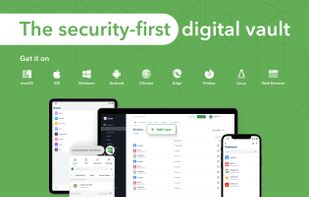
Avoid the headache of passwords with Locker. The open-source Locker Password Manager safeguards your passwords and data, effortlessly logs you into sites, boosts your productivity with sharing feature and more.

Cost / License
- Freemium (Subscription)
- Open Source
Application typeApplication types
Platforms
- Mac
- Windows
- Linux
- Online
- Android
- iPhone
- Android Tablet
- iPad
- Self-Hosted
- Software as a Service (SaaS)
- Fedora
- openSUSE


Features
Highlights All activities
Locker Password Manager News & Activities
Recent activities
 Thibault-Ducray added Locker Password Manager as alternative to MyPwdTool
 dortanes added Locker Password Manager as alternative to Ravenpass
 Shaojiang added Locker Password Manager as alternative to OwnKeep
 tysinger added Locker Password Manager as alternative to SantoWarden
 Locdown Keys added Locker Password Manager as alternative to Lock Down Keys
 Danilo Venom added Locker Password Manager as alternative to Krypt by Epicsoft
 K0RR added Locker Password Manager as alternative to Avira Password Manager
 K0RR added Locker Password Manager as alternative to GNOME Secrets
 K0RR added Locker Password Manager as alternative to LastPass, Psono, NordPass, KeePassXC and 44 more
 ByteGuard Team added Locker Password Manager as alternative to ByteGuard


Developed by
 CyStack
 Licensing
Open Source and Freemium product.Pricing
Subscription ranging between $1 and $45 per month + free version with limited functionality.Alternatives
74 alternatives listedBadge
Get an embeddable badge for Locker Password ManagerSupported Languages
AlternativeTo Categories
Security & Privacy, Backup & SyncApple AppStore
- Updated
- 4.46 avg rating





Software for the Tech-Savvy Power User [2/3]
Part 2 of 3 in Series: lists will continually be updated periodically.
This is a continuation of my list, “Recommended Software for the Average Joe and Jane”, but with software I believe needs a bit more technical know-how.
Criteria I look for universally for my lists are as follows:
— Open source code: publicly audited
— Privacy-focus: minimal data collection, encryption by default
— Security-focus: 2FA available, encryption by default
— Zero Knowledge end-to-end encryption (E2EE) when appropriate
— Cross-platform or progressive web apps (PWAs) + cloud backup/sync
— Freemium subscription model, so basic features are always available for free
— Oligarchy / Big Tech alternative
— Absence of “dark” or deceptive patterns
Criteria specifically for this list:
— Small organizations and up-and-coming software are welcome on this list
— User experience may require more configuration, less convenience, and more tech literacy
— Features available can replace or nearly replace Big Tech’s popular apps


Comments and Reviews
Modern and robust security, very intuitive look and design. User data is protected by an internationally recognized cybersecurity company. Completely open source, transparent and trustworthy password manager. The manager is the initial product of "cystack" who hold ISO, 27001, 9001 certificates, and are even CREST members. A super excellent alternative! According to the whitepaper, the zero-knowledge and end-to-end architecture is very securely respected.