


BitSwarm Client GUI
2 likes
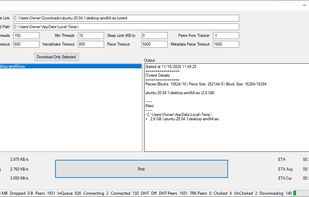
BitSwarm implements Bittorrent Protocol v2 from scratch to achieve best performance and to expose low-level parameters for customization. It uses a custom thread pool and part files (APF) for fast resume from previous incomplete session.

Platforms
- Mac
- Windows
- Linux
Discontinued
The last version is from March 2021.

Features
Highlights All activities
BitSwarm Client GUI News & Activities
Recent News
No news, maybe you know any news worth sharing?
Share a News Tip
Recent activities
 hackerboost added BitSwarm Client GUI as alternative to RatioBooster Plus
 Paul added BitSwarm Client GUI as alternative to torlink
 Paul added BitSwarm Client GUI as alternative to torrent-tui
 MrbenMed-official added BitSwarm Client GUI as alternative to Gettorr
 Paul added BitSwarm Client GUI as alternative to qui
- Paul added BitSwarm Client GUI as alternative to Torrra


Developed by
SuRGeoNixLicensing
Open Source (LGPL-3.0) and Free product.Written in
Alternatives
50 alternatives listedBadge
Get an embeddable badge for BitSwarm Client GUISupported Languages

AlternativeTo Category
File SharingGitHub repository
- 125 Stars
- 9 Forks
- 0 Open Issues
- Updated


Lightweight Torrent Client
My favorite torrent clients

BitTorrent v2 supported Torrent Clients
What is BitTorrent v2 ??
In short, it is an advanced and new version of the standard BitTorrent (torrent) protocol.
If you want to learn more and are ready to blow your mind, check out this article: https://blog.libtorrent.org/2020/09/bittorrent-v2/
No comments or reviews, maybe you want to be first?