BitChord icon
BitChord icon

BitChord

An unofficial YouTube Music client for Android, built with Jetpack Compose. BitChord talks to YouTube Music's own web API (Innertube) directly — no official API key, no ads, no first-party app.
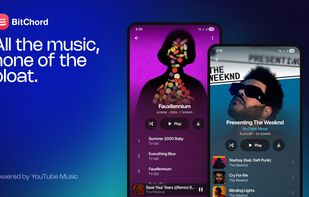
BitChord screenshot 1

Cost / License

  • Free
  • Proprietary

Platforms

  • Android
  • Android Tablet
0likes
0comments
0articles

Features

  1.  Integrated Search
  2.  Material design
  3.  Playback speed control
  4.  Gapless Playback
  5. Last.fm icon  Integrated Last.fm scrobbler
  6.  Sleep Timer
  7.  Musicbrainz support
  8.  Built-in Equalizer
  9.  Background playing

BitChord News & Activities

Highlights All activities

Recent activities

BitChord information

  • Developed by

    IN flagKushagra Singh
  • Licensing

    Proprietary and Free product.
  • Alternatives

    20 alternatives listed
  • Supported Languages

    • English

AlternativeTo Category

Audio & Music
BitChord was added to AlternativeTo by Paul on and this page was last updated .
No comments or reviews, maybe you want to be first?

What is BitChord?

An unofficial YouTube Music client for Android, built with Jetpack Compose. BitChord talks to YouTube Music's own web API (Innertube) directly — no official API key, no ads, no first-party app.

Features:

  • Search, browse and play anything available on YouTube Music — songs, albums, artists, playlists.
  • Gapless playback with true crossfade, adjustable 0–12s — two overlapping decoders on an equal-power curve, applied to manual skips as well as track ends, powered by Media3/ExoPlayer.
  • Sign in with your Google account — an in-app WebView runs the real accounts.google.com login (2FA and passkeys work as normal); only the resulting session cookies are captured, never the credential itself.
  • Offline downloads — save tracks to Downloads/BitChord with title/artist/album/cover art embedded directly into the file, so they read correctly in a file manager or another player, not just inside BitChord.
  • Local music library — anything already on the device (or previously downloaded) is scanned in alongside what streams from YouTube Music.
  • Scrobbling to Last.fm and ListenBrainz, with per-service timing/threshold controls.
  • Per-network audio quality — separate quality ceilings for Wi-Fi and mobile data.
  • Playback speed control (0.5×–2.0×) and skip silence.
  • Synced lyrics via LRCLIB, with an optional back-gesture to dismiss the lyrics page.
  • Sleep timer — fixed presets or "stop after this track".
  • System equalizer integration.
  • "Stats for nerds" — codec, bitrate and sample rate overlay on the now-playing screen.
  • Dynamic, artwork-driven theming — a Material palette extracted from the current album art drives the now-playing background and backdrop washes across the app.
  • Frosted-glass UI — Telegram-style translucent bars via Haze, Material 3 theming with light/dark/system modes.
  • Background playback via a proper foreground media session (lock screen controls, notification, Android media controls).