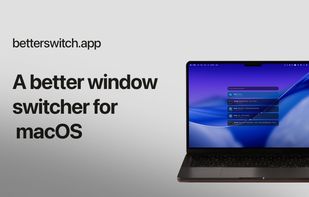
Betterswitch is a fast macOS window switcher that puts every open window within reach, so moving between tasks feels effortless.
Switching that feels native. Right at home on your Mac.
A familiar shortcut, refined for the way you work.
See if before you switch. Preview thumbnails.
Recognize every window at a glance and choose with confidence.
Workspaces that stay in sync. Built around your spaces.
Keep every desktop organized, so context is always close by.
Less searching. More doing. A faster way through the windows that make up your day.
- Instant window switching: See every window at once. Search apps, window titles, and macOS workspaces, then land exactly where you meant to go.
- Keyboard first, always: Navigate, filter, and switch without breaking flow. Every action has a shortcut.
- Every switch, in motion: Metal shader animations bring fluid movement to everyday switching. A little more life in every transition between apps and windows.
- Right at home on your Mac: A native macOS experience, from familiar shortcuts to the smallest details. Move between apps and windows with a switcher that feels like it belongs.
- Your flow. Your style: Choose from several switcher styles to find the view that feels right. Same quick access to your apps and windows, your way.
Three steps. Barely a second. Feels native because it is: Built for macOS with a familiar visual language, crisp motion, and system-level speed.
- Open Betterswitch: Use your shortcut from anywhere on your Mac.
- Search or choose: Start typing or move through every open window.
- Switch instantly: Press Return. You’re there, with no hunting required.
Switch the task, not just the window.
Group the apps you use together into workspaces, then jump back into the exact mode you need - without rebuilding your setup each time.






 Paul added Betterswitch as alternative to AltTab, Macscope, DockDoor, TabTab and 29 more
 Luka Managadze

No comments or reviews, maybe you want to be first?