Mermaid, PlantUML, and drawio diagrams that don't look auto-generated.
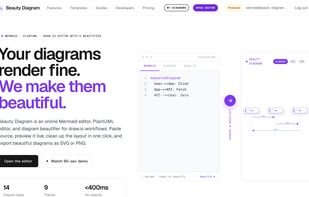
Beauty Diagram is a web-based diagram editor that takes the diagrams-as-code formats you already use — Mermaid, PlantUML, drawio XML, and SVG — and renders them with a layout designed for slides, docs, and READMEs. Instead of the cramped, generic output you get from default renderers, Beauty Diagram automatically detects the shape of your flow (branches, retries, loops, swimlanes, fan-outs) and lays it out for you.
Key features:
• Multi-source input — Mermaid (flowchart, sequence, gantt, class, ER, state, mindmap, gitGraph, and more), PlantUML, drawio XML, and text-based SVG.
• 9 themes — Classic, Modern, Atlas, Blueprint, Memphis, Obsidian, Slate, Brutalist, Atelier. Each theme changes node shapes, edge styles, palettes, and backgrounds — not just colors.
• Auto-beautification — detects main flow, branches, retry loops, fan-outs, and swimlanes; styles decisions and loop-returns as visually distinct concepts.
• AI Generate & Refine — prompt in natural language for a new diagram, or tell the AI to rewrite an existing one ("split error handling into its own swimlane"). AI only writes the source; layout stays consistent.
• Interactive canvas — recolor nodes, apply edge presets (minimal / bold / aurora with glow and gradient strokes), and double-click any label to edit text inline.
• Animated gitGraph — commit-by-commit reveal animation, ideal for engineering talks, release planning, and Git workflow tutorials.
• Diagram Hub — cloud save, folders, version history, and read-only share links with auto-generated social card previews for Slack, Discord, Twitter, LinkedIn, Notion, and more.
• Export anywhere — SVG, PNG, HD PNG. Public embed URLs work as plain <img src> in GitHub READMEs, Notion pages, and blog posts — no plugins, no manual screenshotting.
• Public API, CLI, and Agent Skill — call POST /v1/beautify from your own apps, run bd batch or bd extract to render entire Markdown folders in one pass, or let an AI coding agent (Claude, Codex, Cursor, ChatGPT) generate diagrams through the official skill. MCP server coming.
If you've outgrown Mermaid Live Editor's default look but don't want to switch to a drag-and-drop tool, Beauty Diagram is the in-between: same paste-Mermaid workflow, auto-layout that doesn't need manual tweaking.




 Paul added Beauty Diagram as alternative to reladraw
 syntax added Beauty Diagram as alternative to Structurizr
 levi840714 added Beauty Diagram as alternative to Lucidchart, draw.io and Excalidraw
 levi840714 added Beauty Diagram as alternative to Mermaid, PlantUML and PlantText


No comments or reviews, maybe you want to be first?