


Autodesk Mudbox
20 likes
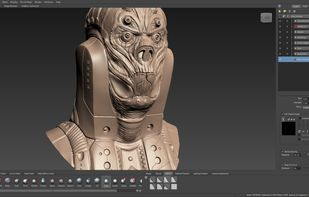
Autodesk Mudbox offers tools for creating detailed organic and inorganic 3D assets. It features an efficient layer workflow that allows blending, masking, and more, and has a familiar interface for sculpting and texture painting. Ideal for professional 3D modeling tasks.

Cost / License
- Pay once or Subscription
- Proprietary
Application typeApplication types
Alerts
- Discontinued
Platforms
- Mac
- Windows
- Linux


Features
Autodesk Mudbox News & Activities
Highlights All activities
Recent News
- Paul published news article about Autodesk Mudbox

Recent activities
- Paul updated Autodesk Mudbox
- hced updated Autodesk Mudbox
 Mixos added Autodesk Mudbox as alternative to Mixos
 Mike Caps added Autodesk Mudbox as alternative to TextureFast
- RemovedUser added Autodesk Mudbox as alternative to BlenderCompat
 Joseph leek added Autodesk Mudbox as alternative to Sculptopa
- paranoiddownloader liked Autodesk Mudbox


Autodesk Mudbox information
Developed by
 Autodesk Inc.
 Licensing
Proprietary and Commercial product.Pricing
One time purchase that costs $10, and / or subscription ranging between $300 and $1500 per month.Alternatives
53 alternatives listedBadge
Get an embeddable badge for Autodesk MudboxSupported Languages


Featured in Lists


Linux • Graphics
My personal list of graphics applications made or ported to linux (Incomplete)


Academia & Skills
A list with 422 apps by AmileyaRyver without a description.


Freedom-Respecting Apps for Creatives
Like my previous list, this is to help people switch to Linux and Open Source. This time, the focus is on creative professionals and hobbyists: artists, musicians, writers, etc.
Not all apps and services listed will be open source or even free (as in free beer), but they will at the very least be either freedom-respecting or non-subscription-based. The simple rule is: once it requires an account (email, phone number, etc.) to use it, then it will be placed after the ones I actually recommend.
Of course, there will be a few exceptions, but these are ONLY to point out that even big, well-known software is available on Linux as well. These exceptions will be at the end of each section.
Each section lists my recommendations in order of best (in my opinion) to good enough. In most cases, proprietary and non-freedom-respecting app/services will be last in each category, except for Obsidian, which is proprietary but respects your freedom and privacy. If you don't like my choices, click on the app to search for alternatives right here on this website. Convenient.
Note: This list was originally started as an unfinished thread I was writing. A very long one that goes into more than just alternatives, but also why you should use them — like protecting democracy and freedom, how your tax dollars should be spent, how important open source is in our digital age, etc.
Here is that unfinished thread: https://forum.endeavouros.com/t/wip-how-to-tell-if-you-can-switch-to-linux-software-alternatives/58912#p-574301-creators-31
Lastly, the Linux operating systems (or distros) are at the end of the list because no matter which you choose, the majority of these apps can be installed on Windows, and can certainly be installed on any of the distros.
No comments or reviews, maybe you want to be first?