





aTimeLogger Pro
Like
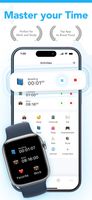
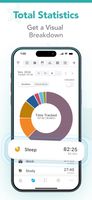
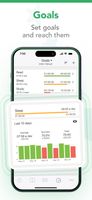
Mobile first manual time tracker for logging personal activities.



Cost / License
- Freemium (Pay once or Subscription)
- Proprietary
Application type
Platforms
- Mac
- Online
- Android
- iPhone
- Android Tablet
- iPad
- Apple Watch
- Android Wear

Features
Highlights All activities
aTimeLogger Pro News & Activities
Recent activities
 Lucas Fog added aTimeLogger Pro as alternative to Hard Graft
 zaplitny added aTimeLogger Pro as alternative to TimeTodo and Simple - Time Tracker
 zaplitny added aTimeLogger Pro as alternative to Furtherance, Klokki, Hours Time Tracking, Timelines Time Tracking and 4 more
 zaplitny added aTimeLogger Pro as alternative to aTimeLogger, Toggl Track, Clockify, Timely Time Tracking and 6 more
- zaplitny added aTimeLogger Pro
- Paul updated aTimeLogger Pro
- Paul updated aTimeLogger Pro
- zaplitny added aTimeLogger Pro as alternative to aTimeLogger, Toggl Track, Clockify, Timely Time Tracking and 6 more




Developed by
BGCILicensing
Proprietary and Freemium product.Pricing
One time purchase ranging between $3 and $100, and / or subscription ranging between $3 and $50 per month + free version with limited functionality.Alternatives
21 alternatives listedBadge
Get an embeddable badge for aTimeLogger ProSupported Languages




No comments or reviews, maybe you want to be first?